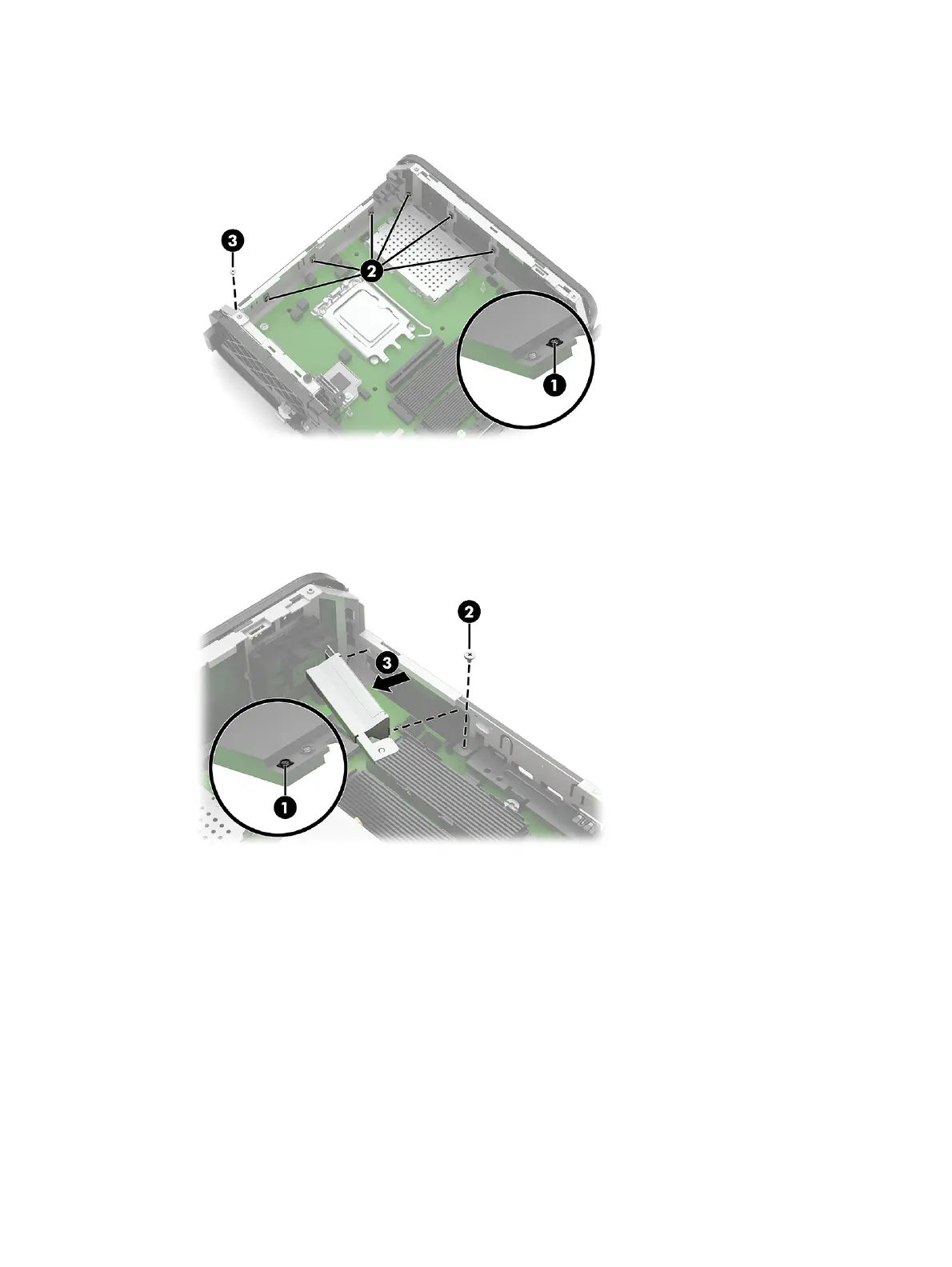
3. Remove the Phillips screw from the antenna on the rear of the computer (3).
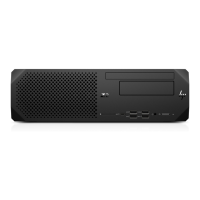
4. Internal antenna: Disconnect the antenna cable from the WLAN module (1).
5. Remove the Phillips screw from the internal antenna (2).
6. Slide the antenna toward the back of the computer (3) to remove it.
7. Squeeze the sides on the antenna cover (1), and then pull the cover off the rear of the computer (2).
Wireless antennas and cables
31





 To Next Page