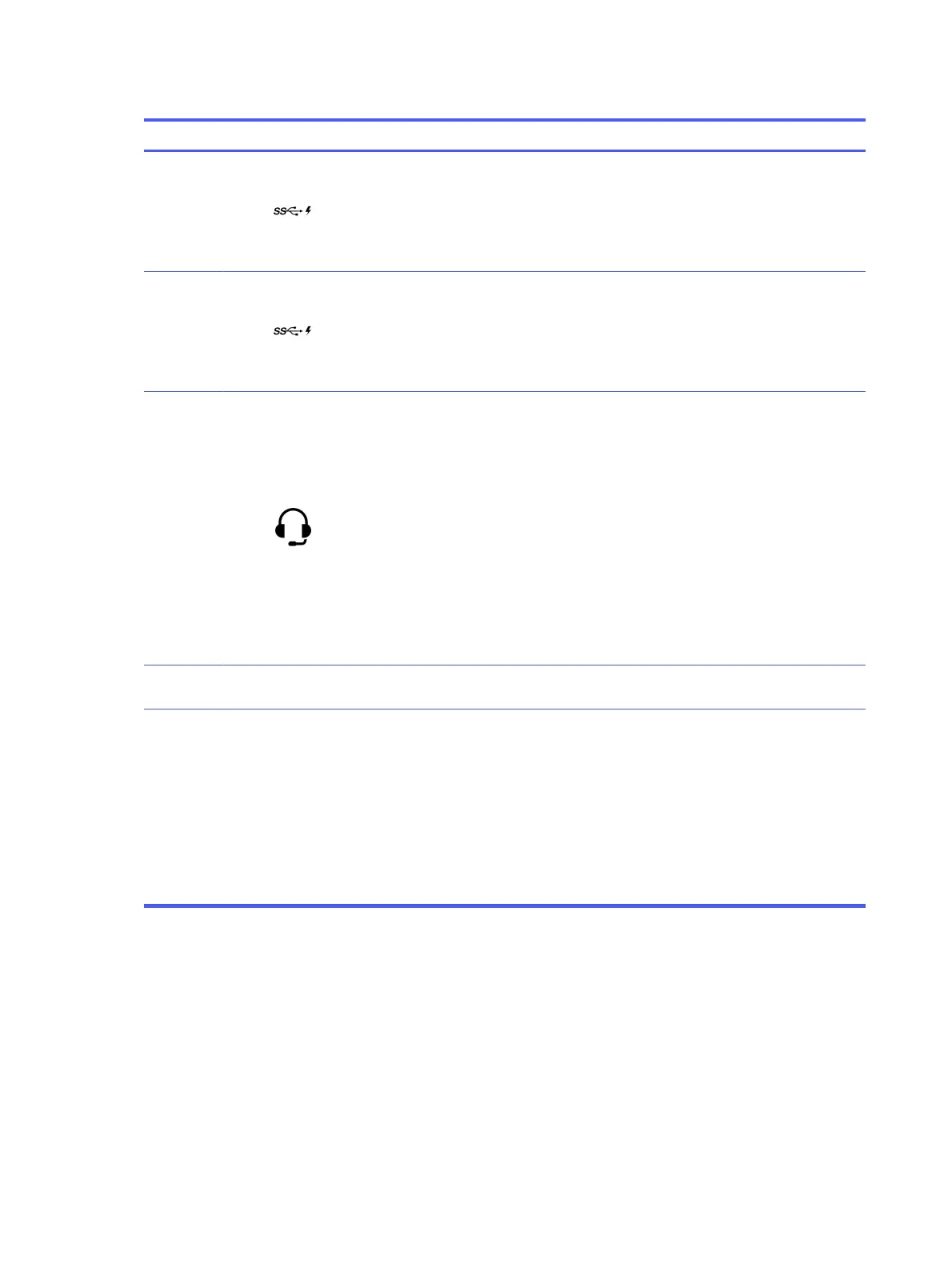
Table 1-2 Left components and their descriptions
Component Description
(1)
USB SuperSpeed 10
Gbps port with HP Sleep
and Charge
Connects a USB device, provides high-speed data transfer,
and charges small devices (such as a smartphone), even
when the computer is off.
NOTE: Use a standard USB Type-A charging cable or cable
adapter (purchased separately) when charging a small
external device.
(2)
USB Type-C
®
SuperSpeed 20 Gbps
ports with HP Sleep and
Charge (2)
Connect a USB device, provides high-speed data transfer,
and charges small devices (such as a smartphone), even
when the computer is off.
NOTE: Use a standard USB Type-C charging cable or cable
adapter (purchased separately) when charging a small
external device.
(3)
Audio-out (headphone)/
Audio-in (microphone)
combo jack
Connects optional powered stereo speakers, headphones,
earbuds, a headset, or a television audio cable. Also connects
an optional headset microphone. This jack does support
optional standalone microphones.
WARNING! To reduce the risk of personal injury, adjust the
volume before putting on headphones, earbuds, or a headset.
For additional safety information, see the
Regulatory, Safety,
and Environmental Notices
.
To access this guide:
■
Select the Search icon (select products only) in the
taskbar, type HP Documentation in the search box,
and then select HP Documentation.
NOTE: When a device is connected to the jack, the
computer speakers are disabled.
(4)
Side antenna cover*
Send and receive wireless signals to communicate with
wireless local area networks (WLANs).
NOTE: *The antennas are not visible from the outside of the computer. For optimal transmission, keep the areas immediately
around the antennas free from obstructions.
For wireless regulatory notices, see the section of the
Regulatory, Safety, and Environmental Notices
that applies to your
country or region.
To access this guide:
■
Select the Search icon (select products only) in the taskbar, type HP Documentation in the search box, and then select
HP Documentation.
NOTE: The labels for the left panel connectors use industry-standard icons and colors.
Rear
To identify the rear panel components, use this illustration and table.
2
Chapter 1 Computer features





 To Next Page