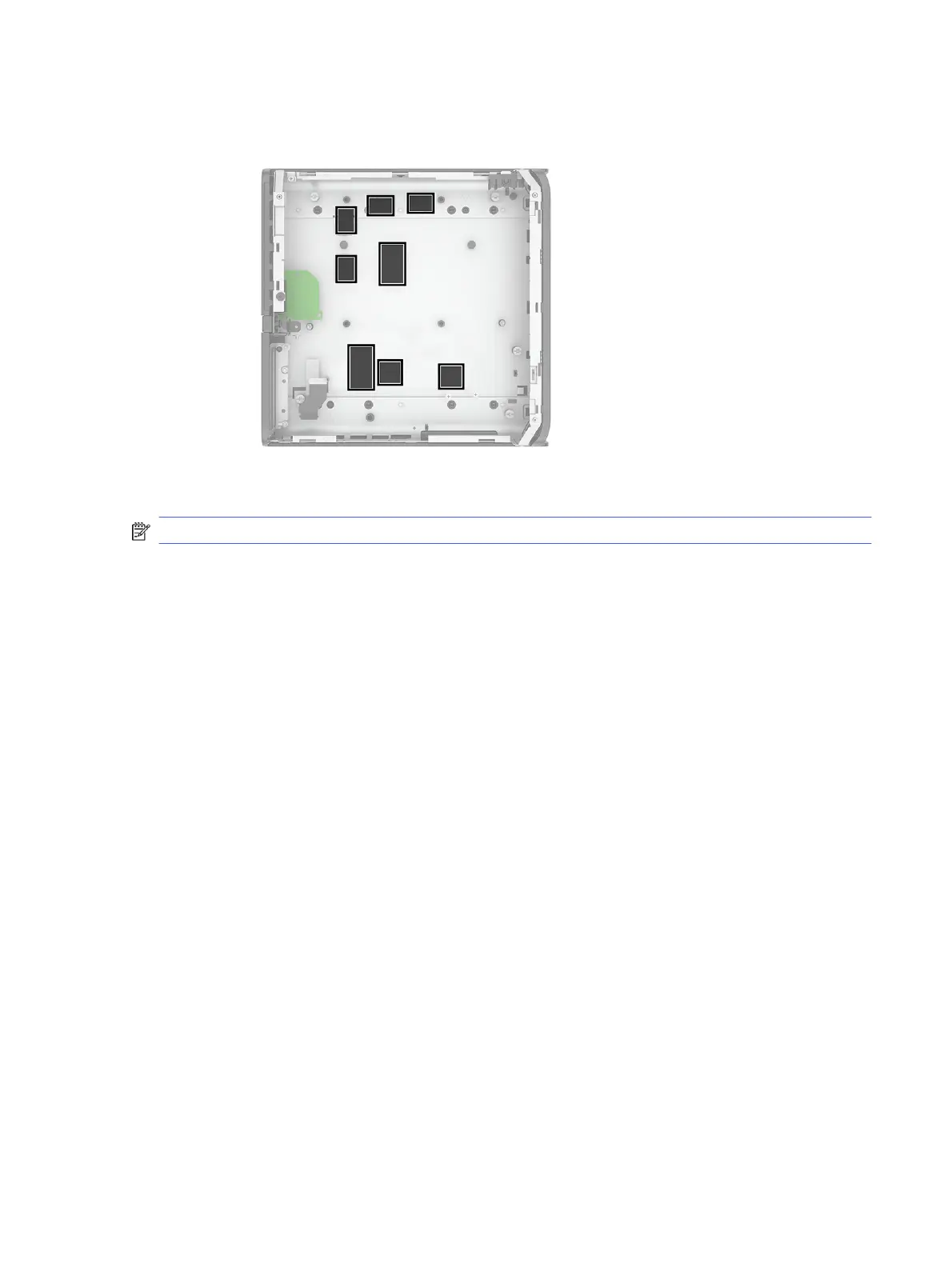
6. Use the following image to identify proper locations to install thermal pads on the base of the
computer chassis under the system board.
To install the system board, reverse the removal procedures.
NOTE: When replacing the system board, you must change the chassis serial number in the BIOS.
When replacing the system board, you must reprogram the SMBIOS information about the affected
computer. Failure to reprogram the board will result in eventual failure, such as an activation failure
(when you would have to reactivate the computer) or a system recovery failure.
Update the SMBIOS information in Computer Setup.
System board callouts
Use this illustration and table to determine system board callout locations.
System board callouts
37







 To Next Page