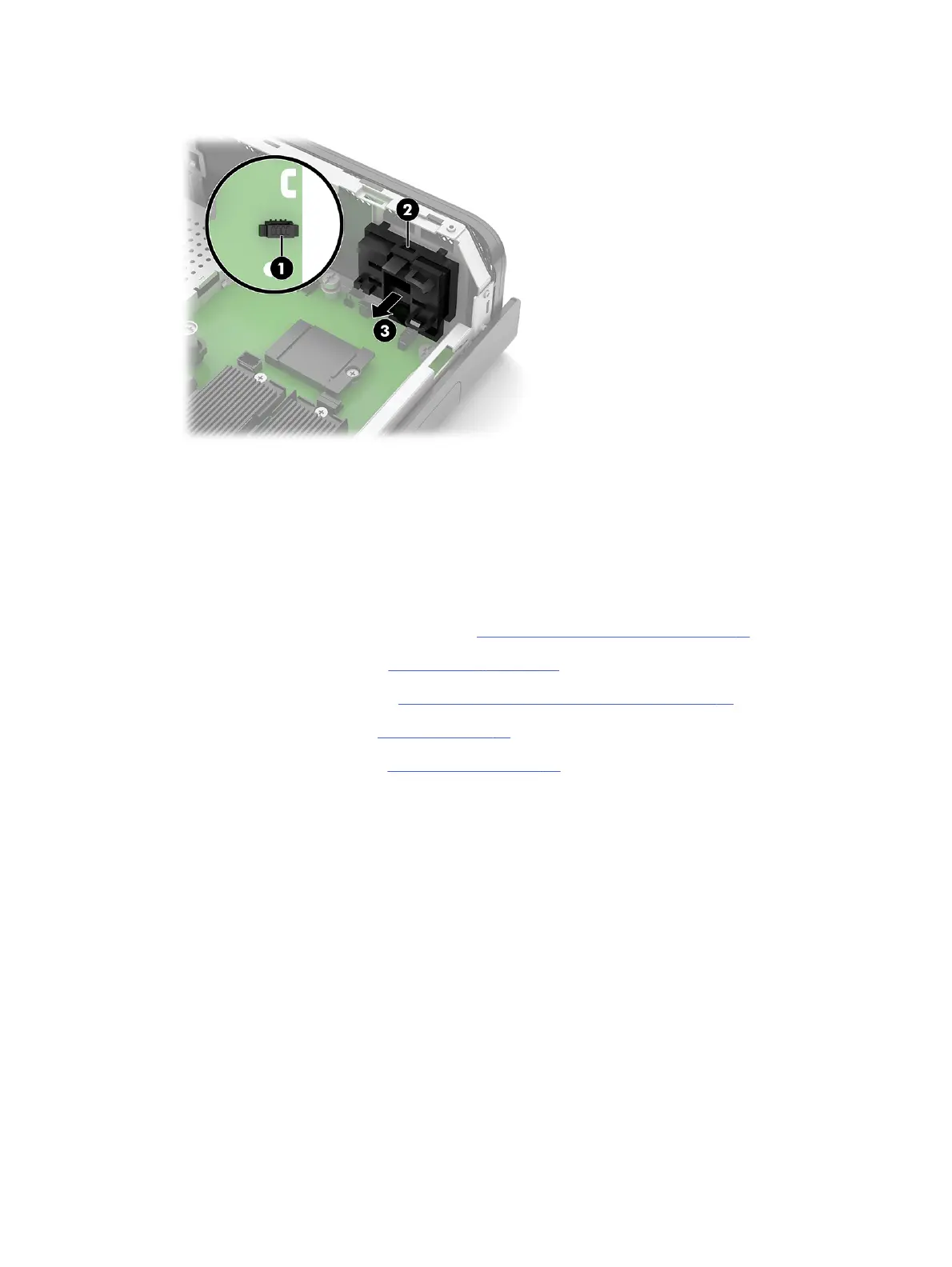
3. Remove the assembly from the computer (3).
To replace the power button, reverse the removal procedures.
Speaker
To remove the speaker, use these procedures.
Before removing the speaker, follow these steps:
1. Prepare the computer for disassembly (see Preparation for disassembly on page 17).
2. Remove the access panel (see Access panel on page 17).
3. Remove the riser assembly (see Riser assembly and expansion cards on page 25).
4. Remove the RTC battery (see Battery on page 32).
5. Remove the power button (see Power button on page 33).
Remove the speaker:
1. Disconnect the speaker cable from the system board connector (1).
34
Chapter 4 Removal and replacement procedures





 To Next Page