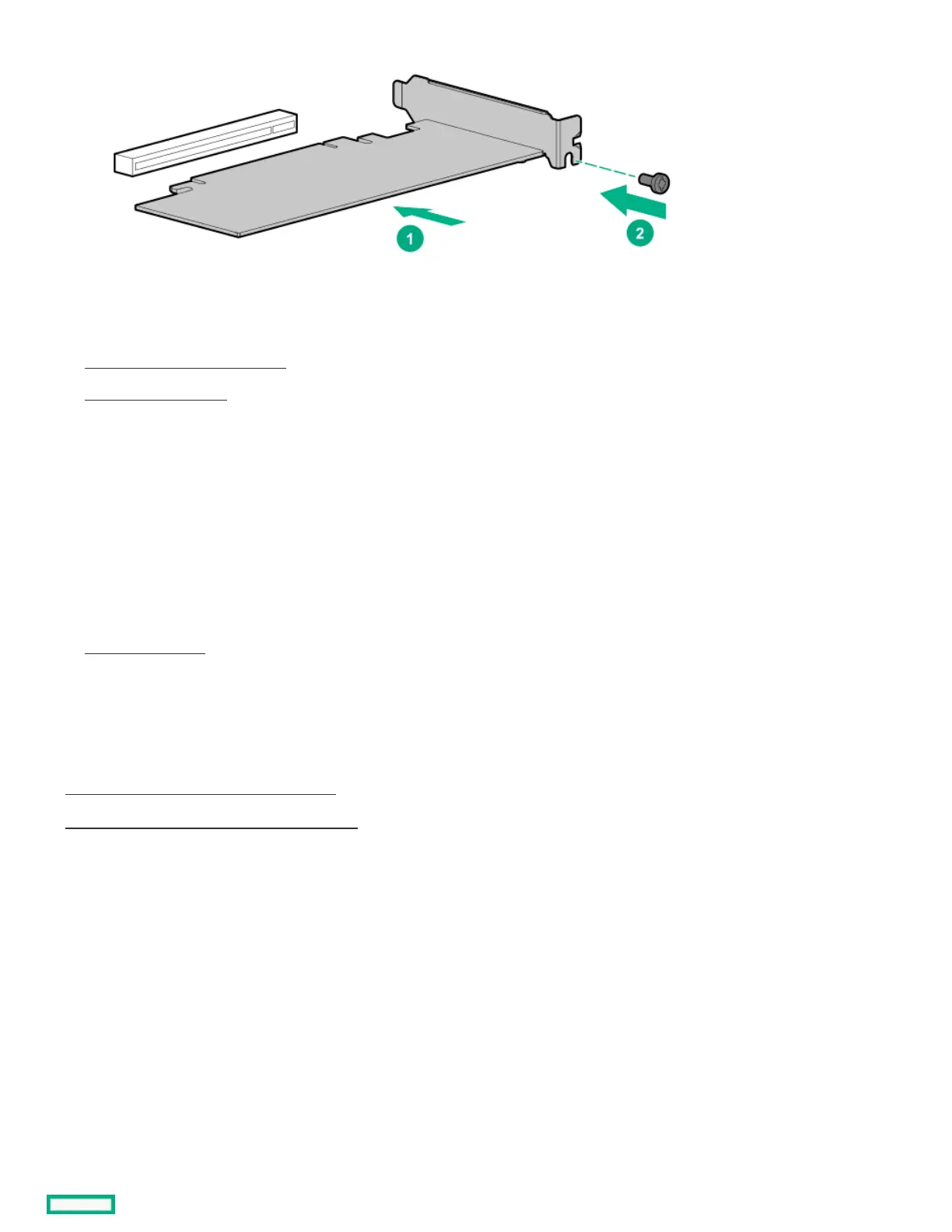
14. Connect all necessary internal cabling to the expansion card.
For more information on these cabling requirements, see the documentation that ships with the option.
15. Install the system board assembly .
16. Install the chassis cover .
17. Connect all necessary external cabling to the expansion card.
For more information on these cabling requirements, see the documentation that ships with the option.
18. If removed, install the security padlock and/or the Kensington security lock.
For more information, see the lock documentation.
19. Connect all peripheral cables to the server.
20. Connect the power adapter to the server, and then secure the power adapter cord in the power cord clamp.
21. Connect the power cord to the AC source.
22. Power up the server .
ResultsResults
The installation is complete.
SubtopicsSubtopics
Remove the air baffle from an expansion cardRemove the air baffle from an expansion card
Install a low-profile bracket on an expansion cardInstall a low-profile bracket on an expansion card
Remove the air baffle from an expansion cardRemove the air baffle from an expansion card
ProcedureProcedure
Remove the air baffle from an expansion card.
The number and location of the latches that secure the baffle to the card will vary depending on the expansion card. The illustration below is
only an example image. See the expansion card documentation for model-specific information.















 To Next Page