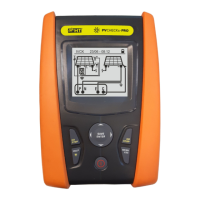
PVCHECKs-PRO
EN - 1
TABLE OF CONTENTS
1. PRECAUTIONS AND SAFETY MEASURES ............................................................... 3
1.1. Preliminary instructions ..................................................................................................... 3
1.2. During use ......................................................................................................................... 4
1.3. After use ............................................................................................................................ 4
1.4. Definition of measurement (overvoltage) category ............................................................ 4
2. GENERAL DESCRIPTION ........................................................................................... 5
2.1. Foreword ........................................................................................................................... 5
2.2. Instrument functions .......................................................................................................... 5
3. PREPARATION FOR USE ........................................................................................... 6
3.1. Initial checks ...................................................................................................................... 6
3.2. Instrument power supply ................................................................................................... 6
3.3. Storage .............................................................................................................................. 6
4. NOMENCLATURE ........................................................................................................ 7
4.1. Description of the instrument ............................................................................................. 7
4.2. Keyboard description ......................................................................................................... 8
4.3. Initial screen ...................................................................................................................... 8
5. GENERAL MENU ......................................................................................................... 9
5.1. SET – instrument settings ................................................................................................. 9
5.1.1. Language ................................................................................................................................. 9
5.1.2. Date and time ......................................................................................................................... 10
5.1.3. General settings ..................................................................................................................... 10
5.1.4. Irradiance ............................................................................................................................... 10
5.1.5. Info ......................................................................................................................................... 10
5.1.6. Operator name ....................................................................................................................... 11
6. OPERATING INSTRUCTIONS ................................................................................... 12
6.1. DMM – Multimeter function ............................................................................................. 12
6.2. UREM – Remote unit ...................................................................................................... 13
6.3. RPE – Continuity measurement on PV modules/strings/fields ........................................ 16
6.3.1. Calibration of measuring cables ............................................................................................. 16
6.3.2. Carrying out continuity measurements in Standard (STD) mode .......................................... 18
6.3.3. Carrying out continuity measurements in Timer (TMR) mode ............................................... 20
6.3.4. Anomalous situations ............................................................................................................. 22
6.4. M – Measurement of insulation on PV modules/strings/fields ...................................... 23
6.4.1. Measuring insulation – DUAL mode ...................................................................................... 23
6.4.2. Measuring insulation – TMR mode ........................................................................................ 25
6.4.3. Anomalous situations ............................................................................................................. 28
6.5. GFL – Searching for conditions of low insulation on PV strings ...................................... 30
6.6. DB – Module database management .............................................................................. 34
6.6.1. How to define a new PV module ............................................................................................ 34
6.6.2. How to modify an existing PV module ................................................................................... 36
6.6.3. How to delete an existing PV module .................................................................................... 36
6.7. IVCK - Test on PV modules and strings .......................................................................... 37
6.7.1. Foreword ................................................................................................................................ 37
6.7.2. Carrying out IVCK Tests without remote unit ......................................................................... 38
6.7.3. Carrying out IVCK Tests with remote unit .............................................................................. 42
6.7.4. Anomalous situations ............................................................................................................. 49
6.8. List of display messages ................................................................................................. 52
7. STORING RESULTS .................................................................................................. 53
7.1. Saving measures ............................................................................................................. 53
7.2. Recalling and deletion of saved data .............................................................................. 54
8. CONNECTING THE INSTRUMENT TO THE PC ....................................................... 55
9. MAINTENANCE ......................................................................................................... 56
9.1. General information ......................................................................................................... 56
9.2. Battery replacement ........................................................................................................ 56
9.3. Cleaning the instrument .................................................................................................. 56
9.4. End of life ........................................................................................................................ 56


 To Next Page