PVCHECKs-PRO
EN - 39
4. If necessary, select option “><” and confirm with ENTER. Carry out this operation as
indicated in § 6.3.1.
5. Connect the instrument to the PV module/string being tested and to the main earth
node of the system, and to the metal masses connected to earth as shown in Fig. 10.
In particular, connect the negative output pole of the PV module/string to terminal N
and the positive output pole of the PV module/string to terminal P.
Fig. 10: Connection for IVCK tests without remote unit
WARNING
Upon pressing the GO/STOP key, different error messages can be displayed
by the instrument (§ 6.8) and, therefore, the test cannot be started. Check and
eliminate, if possible, the problem causing the error message before going on
with the test.
6. Press the GO/STOP key to start the test. In case no error
conditions occur, the instrument displays the message
“Measuring…” and the measure of open-circuit voltage
between terminals P and N and of short-circuit current
(for Isc values 40A).
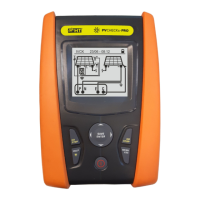
IVCK 15/10 – 18:04
Voc@OPC 1485 V
Isc@OPC 11.25 A
Avg Voc 1485 V
Avg Isc 11.25 A
Rp >100 M
R+ >100 R- >100 M
RPE - - -
Measuring...
1500V 1.00M 2 - - -
VTest ISO RPE
><


 To Next Page