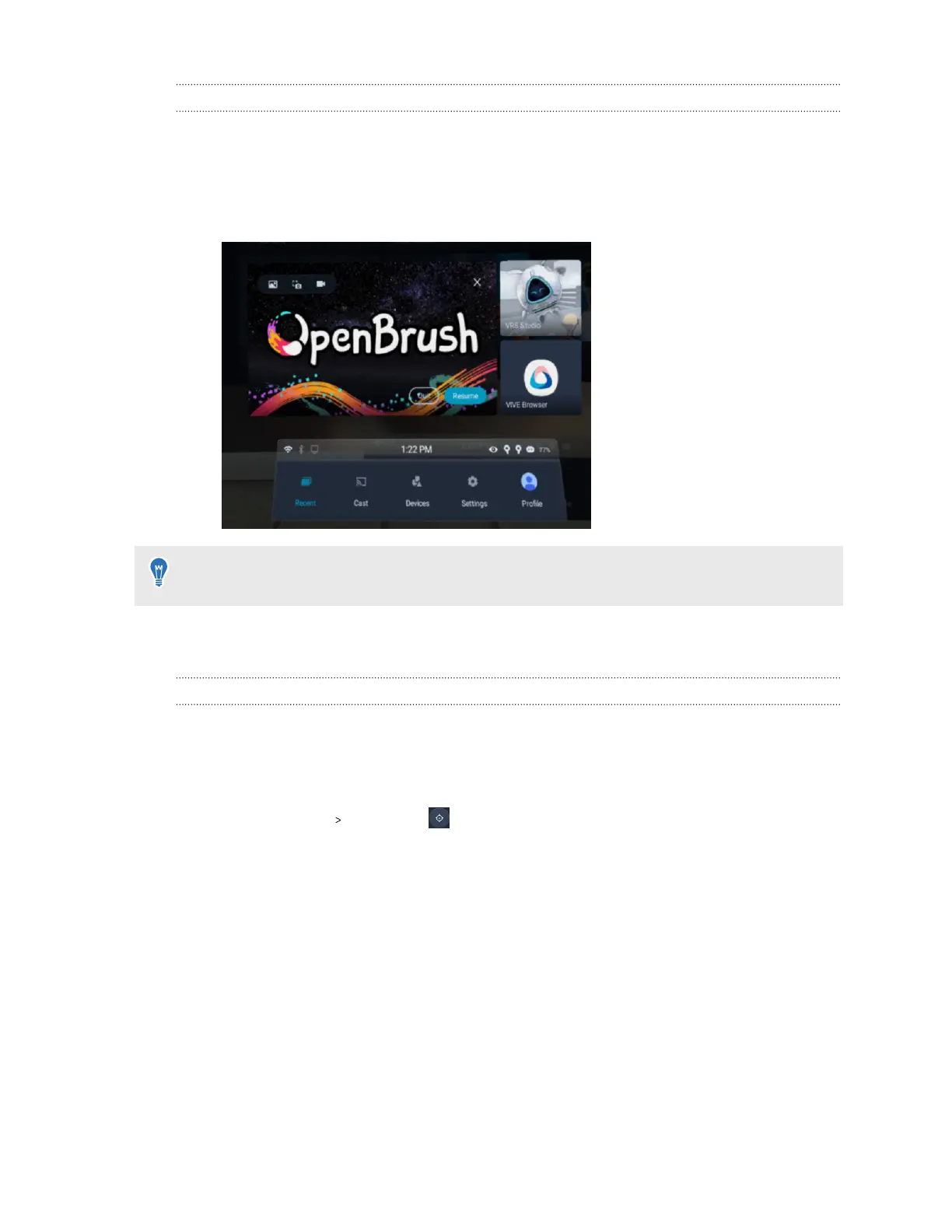
Switching between recent apps
You can easily switch between apps you've recently launched on your headset from the VIVE
Menu. Here's how.
1. Open the VIVE Menu by pressing the VIVE button on your right controller.
You'll see three most recent apps on the menu.
You can also use hand gestures to open the VIVE Menu. For details, see Hand tracking on
page 30.
2. Select Resume to launch the last app you were using, or choose one of the other two
recent apps displayed on the right to launch it.
Resetting your view
You can reset your view in the headset to match the forward-facing direction in the real world.
From the VIVE Menu:
1. Open the VIVE Menu. To find out how, see The VIVE Menu on page 31.
2. Select Settings Reset view .
3. When you're prompted to face forward, adjust your position so that your headset is facing
forward in your real environment.
4. To reset your view, do any of the following:
§ Point your left or right controller straight ahead and press the trigger.
§ Pinch your thumb and index finger together.
35 Getting started



 To Next Page