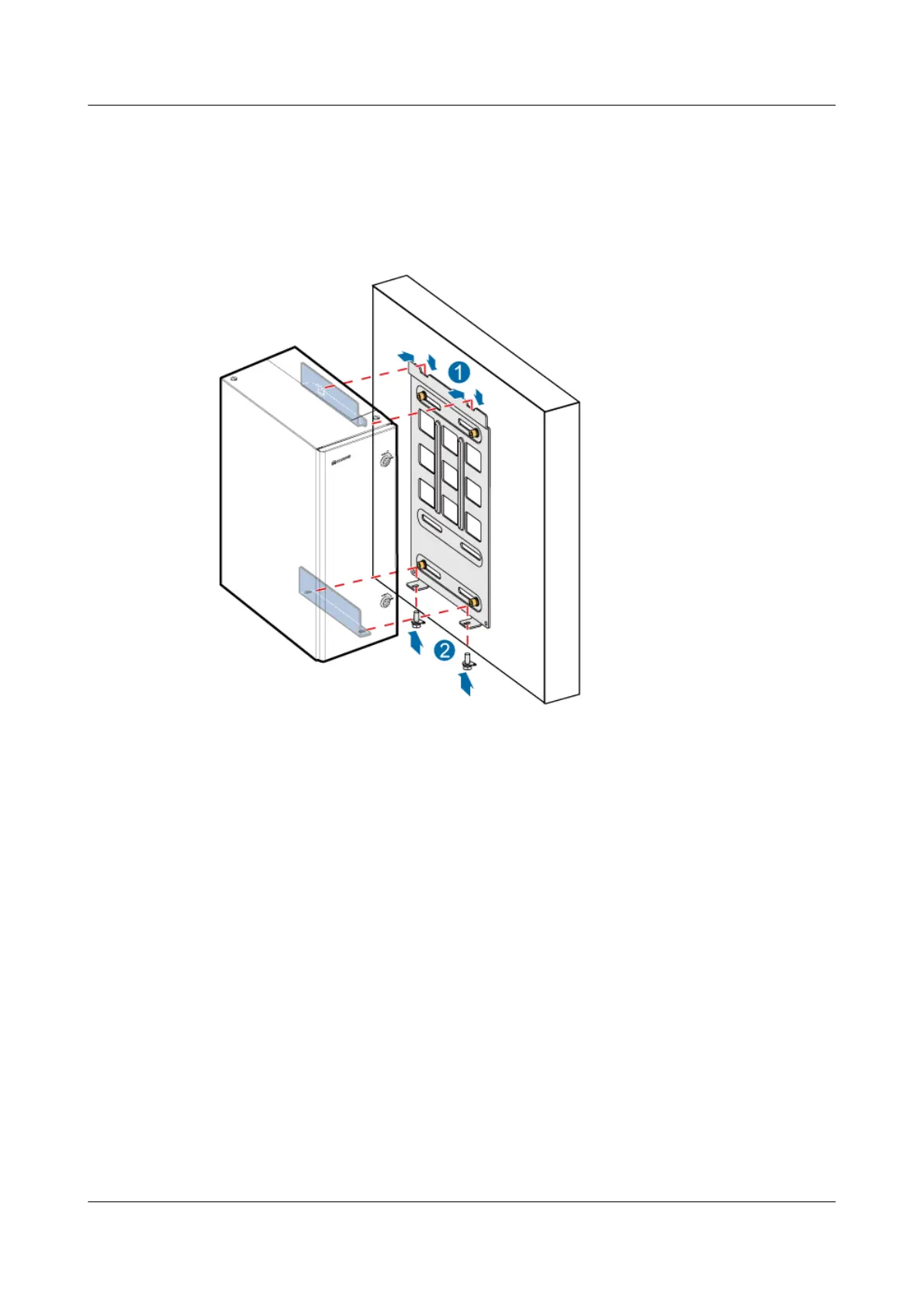
Step 4 Place an OMB onto the back mounting plate, and then use M6x16 bolts to secure the back
mounting plate on the attachment plate at the bottom of the OMB until the tightening torque
reaches 4.8 N·m, as shown in Figure 9-9.
Figure 9-9 Installing the OMB
----End
9.3 Installing a BBU
This section describes the procedure and precautions to be taken for installing a BBU in an OMB
when a DBS3900 is deployed outdoors.
Procedure
Step 1 Install the mounting ears on both sides of the BBU reversely.
1. Remove the mounting ears, as shown in Figure 9-10.
DBS3900 (Ver.B)
Installation Guide
9 Outdoor Scenario with DC Power Supply (BBU Installed
in an OMB)
Issue 06 (2011-09-15) Huawei Proprietary and Confidential
Copyright © Huawei Technologies Co., Ltd.
296



 To Next Page