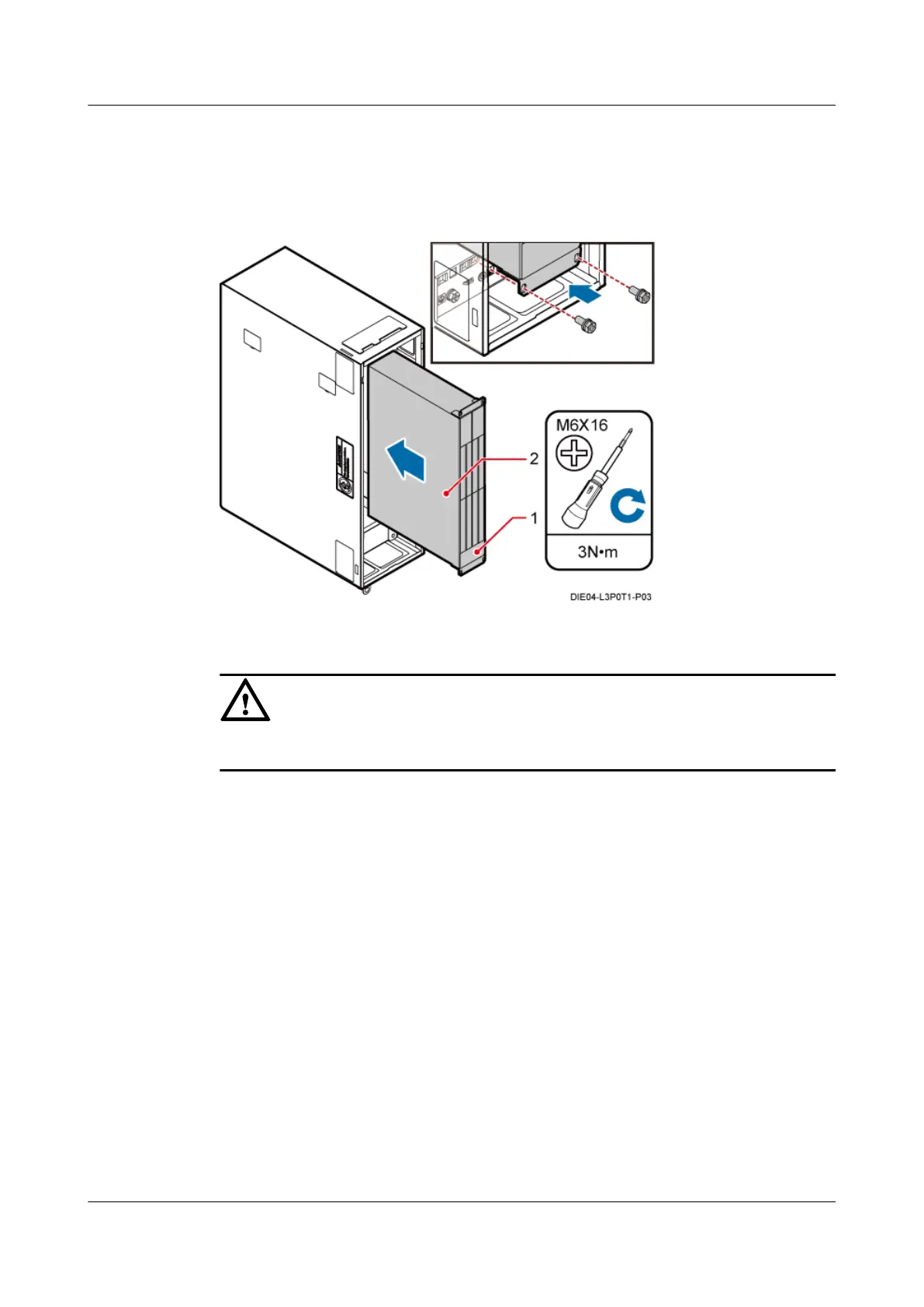
Figure 13-39 Installing the BBU
(1) Fan (2) BBU
CAUTION
Ensure that the fan unit of the BBU is at the bottom of the BBU.
----End
13.4.2 Installing the Power Device
This section describes the procedure for installing the power device in the IMB03. The power
device in the IMB03 can be the DCDU or AC/DC power device. The procedures for installing
them are the same. The following description is based on the installation procedure of the DCDU.
Procedure
Step 1 Slide the DCDU into the corresponding slot according to the installation slot label.
Step 2 Use a Phillips screwdriver to tighten the four M6x16 bolts on the panel, as shown in Figure
13-40.
DBS3900 (Ver.B)
Installation Guide 13 Indoor Scenario (BBU Installed in an IMB03)
Issue 06 (2011-09-15) Huawei Proprietary and Confidential
Copyright © Huawei Technologies Co., Ltd.
463



 To Next Page