eSpace IAD
Troubleshooting
3 Common Troubleshooting Methods
Huawei Proprietary and Confidential
Copyright © Huawei Technologies Co., Ltd.
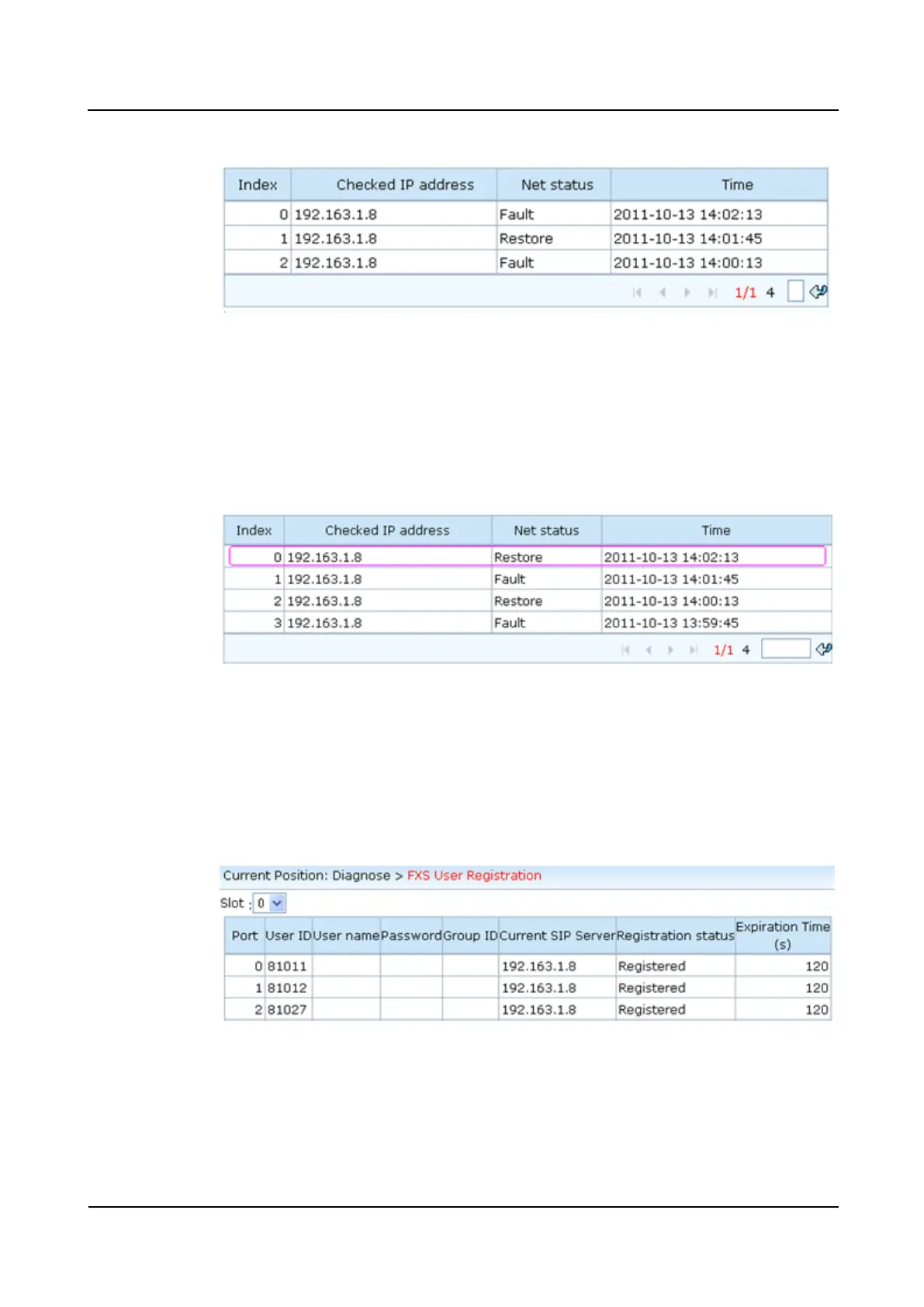
Figure 3-4 Network status (1)
Figure 3-4 shows that the IAD and the SIP server are disconnected.
Step 6 Rectify the network fault.
Choose Maintenance > Network Autocheck from the navigation bar to check the network
status again. The page shown in Figure 3-5 is displayed.
Figure 3-5 Network status (2)
Figure 3-5 shows that the connection between the IAD and the SIP server is restored.
Step 7 Choose Diagnose > FXS User Registration from the navigation bar to check FXS users'
registration status.
The page shown in Figure 3-6 is displayed.
Figure 3-6 Registration status
Figure 3-6 shows that FXS users are registered successfully.
----End








 To Next Page