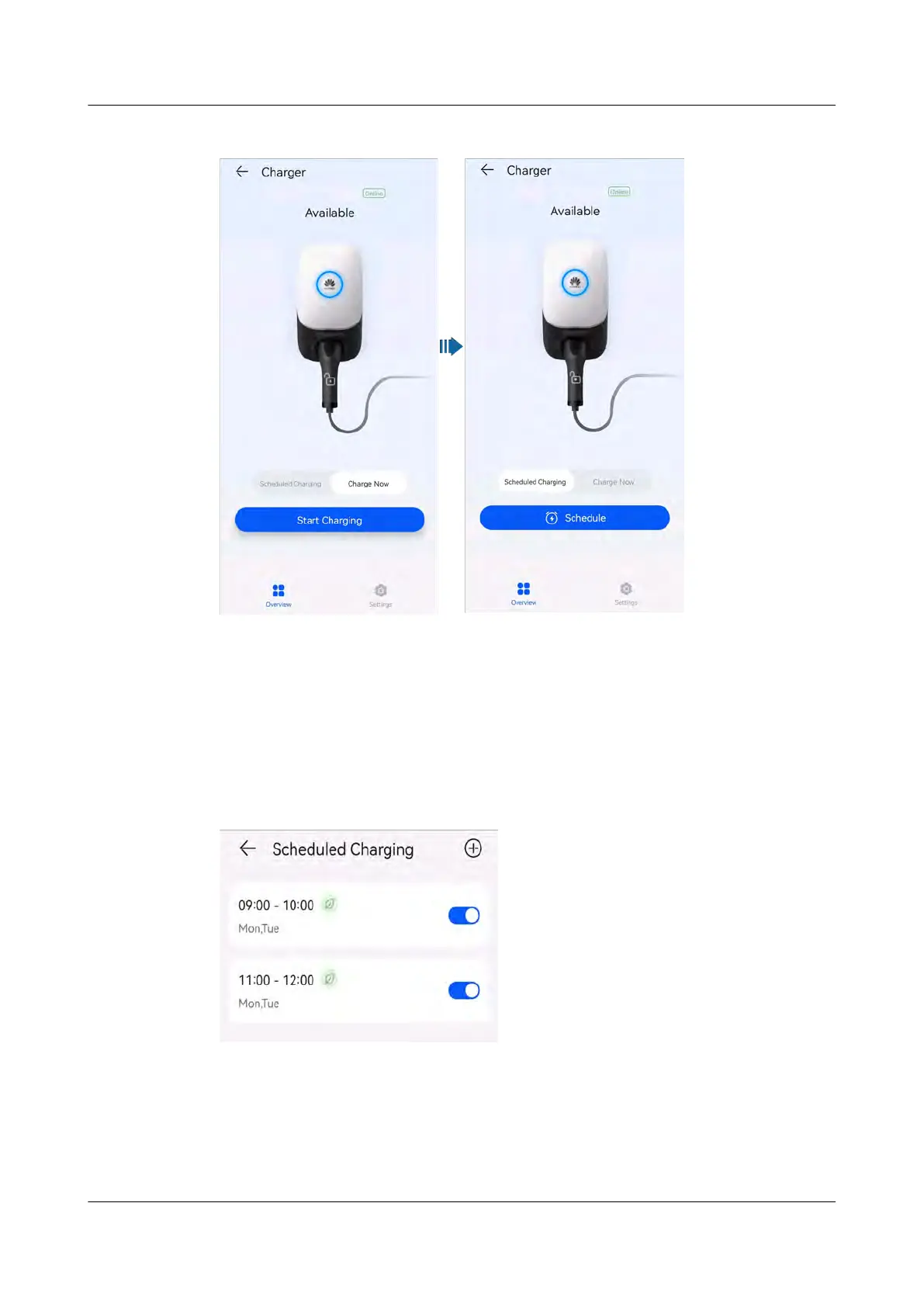
Figure 2-12 Char
ging mode settings
● Char
ge Now: The charger charges the vehicle immediately after startup. You
can set whether to use the PV Power Preferred function. For details, see
Enabling PV Power Preferred (Charge Now).
● Scheduled Charging: The charger starts to charge the vehicle when the
scheduled time is reached. You need to set the scheduled time period and
determine whether to enable PV Power Preferred in the period. For details,
see Enabling PV Power Preferred (Scheduled Charging).
Figure 2-13 Adding scheduled time periods
Identity Authentication
●
Log in to the FusionSolar app as an owner, tap the charger icon on the home
screen, choose Settings > Advanced Settings, and enable Identity
Authentication. Then, start charging using the app, Bluetooth, or RFID card.
For details, see Using a Charger.
PV+ESS+Charger Solution
User Manual 2 Solution Overview
Issue 02 (2023-01-13) Copyright © Huawei Technologies Co., Ltd. 29



 To Next Page