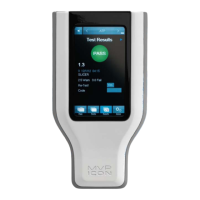
Concentration
Please reference the Directions for Use included with the ICON Conductivity Probe for
preparation of the probe prior to use.
Before Taking a Concentration (ppm) Reading
Prior to taking a Concentration reading (ppm), it is important to ensure the chemical standard
assigned to each test point has been properly calibrated. Please see Chapter
11 – Calibration for
instructions on calibrating the chemical standard.
N
ote: A Concentration test point cannot be tested unless the chemical standard has been
calibrated and saved prior to taking the reading.
Taking a Concentration Reading
• Ensure the ICON Conductivity probe is properly connected to the side of the device
(probe adapter surface with arrows should face the back of ICON).
• Select “Concentration” mode in the top menu bar from any screen. Use < or > arrows to
toggle through modes.
• Select “Points” from the bottom menu.
• Select desired test point or use the scroll bar to scroll through the list of available test
points.
• Designate if the sample is a “Re-Test” (
see Chapter
7).
• E
nter an optional customized code (see Chapter 9).
• Follow the directions in blue for inserting probe into sample.
• Press “Run Test”.
Note: Squeeze sides of probe adapter to release and disconnect from ICON.
Note: The “Test Source Water” button, located next to “Run Test,” allows for source water to be
tested with each sample, should it vary from the source water used to prepare the calibrated
chemical standard. If the source water is similar to the chemical standard, it is not necessary to
the test the source water with each sample.
15


 To Next Page
 Loading...