Custom Fields 10
Custom Fields
“Custom Fields” present another opportunity to enter customized information about test points
and are established within the ICON Software. The three custom fields can be populated with
information such as a test point’s associated product, location within the facility (ex. Room 3),
and the type of surface being sampled (ex. Stainless Steel).
Please see Chapter 15 – Creating Test Points for more information on setting up “Custom Fields”
within the ICON Software.
V
iewing Custom Fields on the ICON
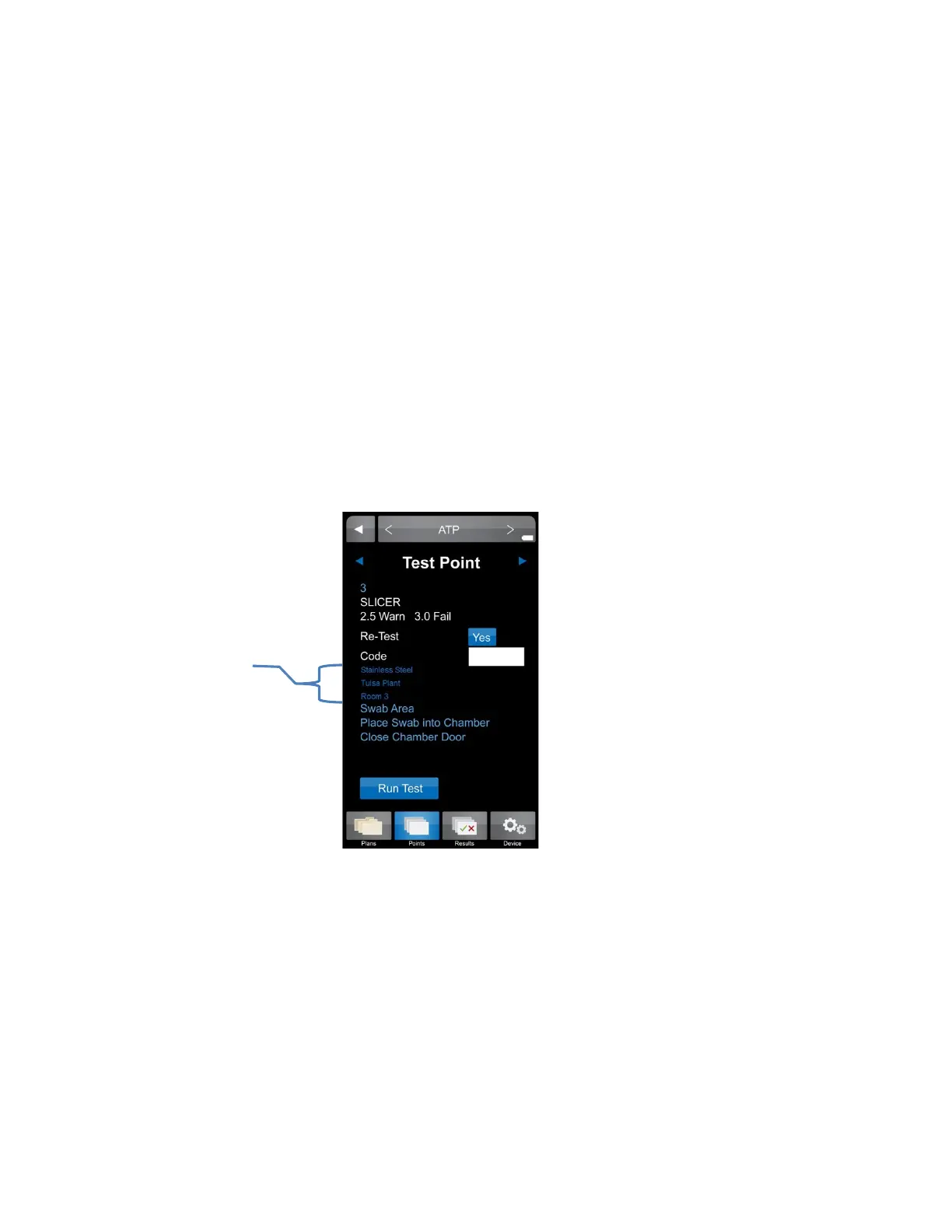
• Select desired test point via “Points” or “Plans”.
• All custom field entries for the assigned test point will be displayed directly below the
“Code” field prior to measuring the sample.
• Custom field designations are also available in “Raw Data” within the ICON Software,
once uploaded.
Custom
Field
entries
19


 To Next Page
 Loading...