MVP ICON at a Glance 1
Instrument Overview
Home Screen and Navigation
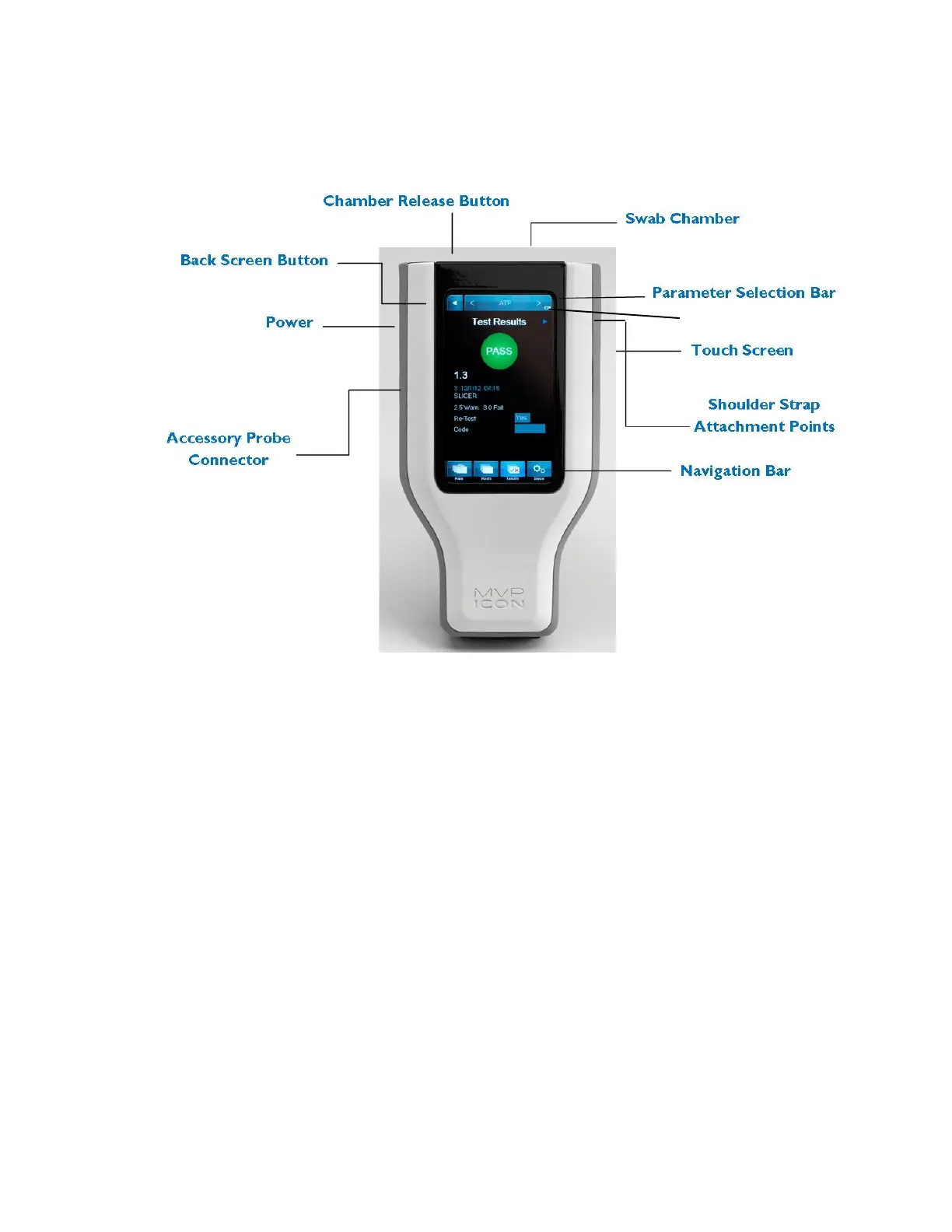
The MVP ICON features a pressure-sensitive color touch screen display that can be operated
while wearing gloves and is suitable for use under all lighting conditions.
The home screen of the ICON lists pertinent statistics about the unit based on the parameter
selected, including:
• Number of test points, sample plans, and results stored on the instrument
• Available memory
• Serial number
• Date of last ATP calibration
• Last date of upload to ICON software
• Available battery charge
The parameter selection bar at the top of the screen is used to select the desired parameter
(ATP, pH, Temperature, Concentration, or Conductivity) for taking new readings or viewing
stored results.
3


 To Next Page
 Loading...