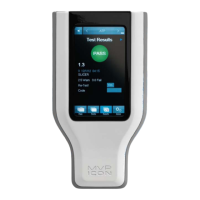
Calibration Procedure
• Connect the Conductivity probe to the instrument, ensuring arrows on the adaptor face
the back of the instrument.
• Verify the ICON is in Conductivity mode.
• Select “Device” from the ICON’s lower menu.
• Enter the Reference Value in microSiemens (µS).
• Insert the probe into the sample.
• Press “Calibrate”.
If the ICON is unable to calibrate the Conductivity probe, it is usually due to contamination or
otherwise incorrect standards or buffers. Ensure the standard is well-mixed and try the
calibration again. If unable to calibrate, contact BioControl Technical Support at 800.245.0113.
Concentration
To calibrate the Conductivity probe for measuring the concentration of specific
cleaning/sanitizing chemicals the probe must first be calibrated for conductivity as directed in the
preceding section – see Conductivity Calibration Procedure.
Next, a chemical standard must be prepared for each specific cleaning/sanitizing chemical to be
tested. The chemical standard is prepared by carefully mixing the chemical with the available
source water at the precise concentration for its intended use, per the manufacturer’s directions
(i.e. 200 ppm).
A corresponding chemical standard must also be created in the MVP ICON Dashboard software
and transferred to the ICON before the calibration procedure can be performed (
See Ch
apter
15).
C
alibration Procedure
• Connect the Conductivity probe to the instrument, ensuring arrows face the back of the
instrument.
• Verify the ICON is in Concentration mode.
• Select “Device” from the ICON’s lower menu.
• Select the desired standard.
• Insert the probe into the source water and press “Calibrate”.
• Insert the probe into the chemical standard and press “Calibrate”.
Note: The probe should be rinsed with deionized water between reading the source water and
chemical standard.
If the calibration is unsuccessful, remix the sanitizer or cleaner and try to calibrate again. If
unable to calibrate, please contact BioControl Technical Support at 800.245.0113.
The calibration procedure should be repeated whenever
• A new lot of sanitizer is to be used.
• A new vendor of sanitizer is used.
• The same sanitizer is used at a different ppm concentration.
23


 To Next Page
 Loading...