Create a new database
• File
• New
Import historical TRAX data
• File
• Open
• Import Data from Excel
• Browse for TRAX file and press “Open”
Archiving a database
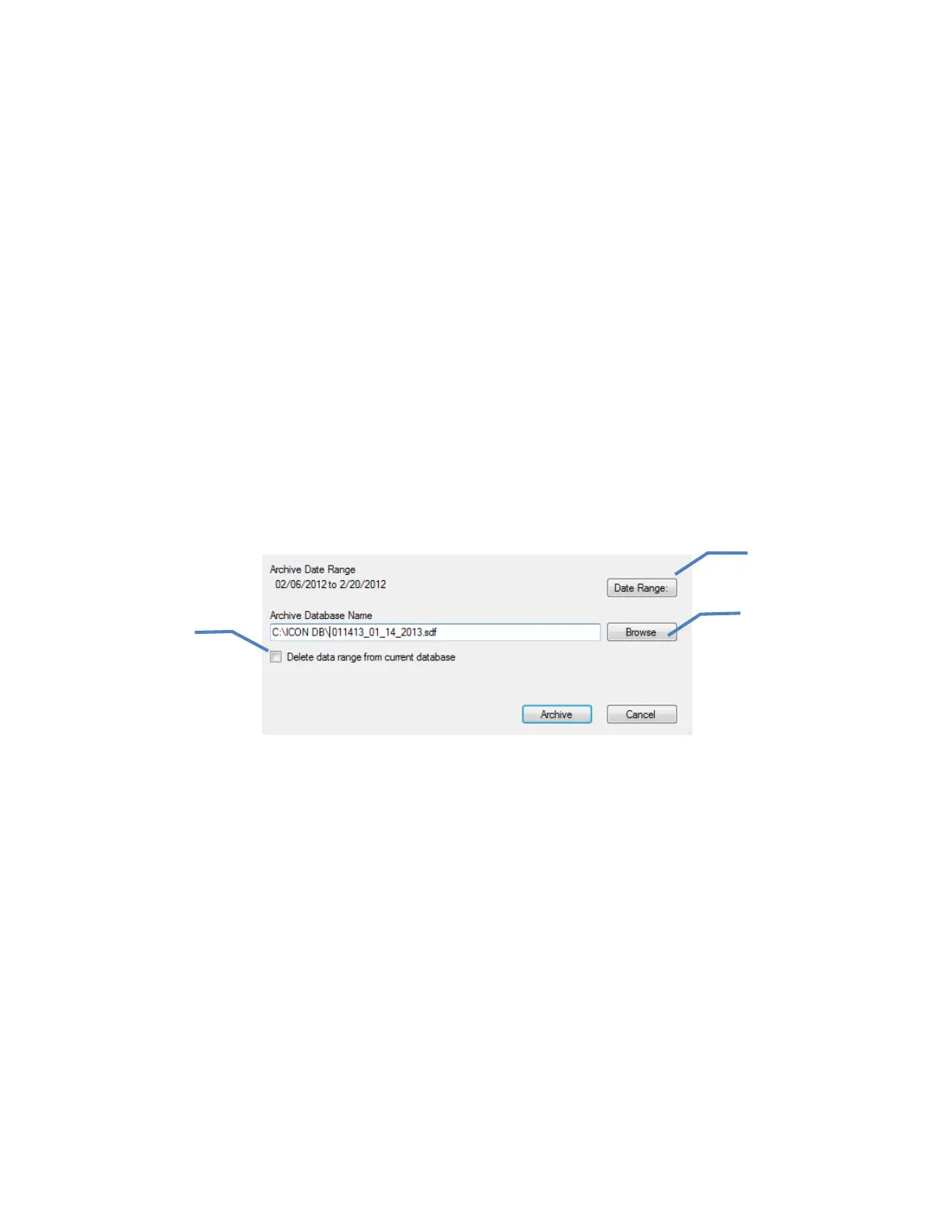
Archiving a database allows a sub-set of information to be saved as its own database. Data from
the master file can then be kept or deleted from the archived date range.
• File.
• Archive Database.
• Select date range.
• Archive will automatically direct to the computer’s C: drive unless otherwise directed
(click Browse to change directory).
• Select the check box to delete data from master database once archived.
• Press “Archive”.
To load an archived database, follow the instructions “Importing an ICON database” above.
Select date range using
pop-up calendar
Browse for new directory
or existing files
Check box to delete
data from master
database
65



 To Next Page
 Loading...