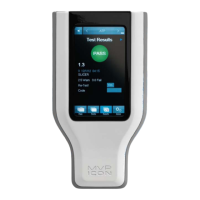
• From “Device” screen select “Calibration”.
• Press the “Positive Control” button under the “Verification” menu in ATP Calibration
mode.
• Open the ATP Positive Control vial.
• Insert a LIGHTNING MVP ICON Surface Sampling Device and completely dissolve the
positive control pellet onto the tip of the swab.
Note: Take care to ensure the swab tip does not touch any surface other than the inside
of the vial.
• Activate the swab, insert into the chamber with swab chamber facing left to right, and
close the chamber door.
• Press “Verify” to run the verification.
The result for a positive control should read between 3.1 – 4.3 Zones.
• Results greater than 4.3 indicate a potential contamination of either the swab or positive
control. Re-test in duplicate and average the two results.
• Between 2.6 – 3.0 Zones, more thorough swabbing of the vial may be required.
• Below 2.6 Zones, ensure the device was properly activated. If device was activated
properly, it may indicate a problem with the instrument, device, or positive controls.
Repeat the test with a new vial of positive control and new sampling device.
• If verification fails again, calibrate the instrument and repeat verification with a new vial
of positive control and sampling device.
• If still out of range, contact BioControl Technical Support at 800.245.0113.
Negative Control Procedure
A negative control is an unused but activated swab.
• Press the “Negative Control” button under the Verification menu in ATP Calibration.
• Activate the swab, insert into the chamber with the swab chamber facing left to right,
and close the chamber door.
• Press “Verify” to run the verification.
The result for a negative swab should read between 1.0 – 2.5 Zones.
LIGHTNING MVP ICON Instrument Verification
To verify if the instrument is reading correctly, the luminescent and non-luminescent calibrators
are used.
The luminescent calibrator consists of a
14
C radioactive source which emits a very low level (5x10
5
d.p.m. or 0.225 microcuries) of low-energy β radiation in a plastic scintillating matrix. This matrix
is configured to provide a constant light output at a sufficiently high level in order to perform
consistent verification and calibration over the shelf-life of the calibrator.
The non-luminescent calibrator provides a reliable low-end or “dark” source reading.
Luminescent Calibrator Procedure
• Under the “Verification” menu in ATP Calibration, select “Luminescent Calibrator”.
• Insert the luminescent calibrator and close the chamber door.
• Press “Verify”.
In a properly calibrated MVP ICON, the calibrator should read within 0.1 Zones of the zone value
displayed on the calibrator’s label.
21


 To Next Page
 Loading...