CARE
18
Remove the Shade (If Necessary)
Standard/Designer Metal Bracket Shades
Standard bracket shown. Designer Metal bracket follows the same procedure.
■
Fully raise the shade.
■
If your shade has a nut, loosen the nut to be able to
compress the idler.
■
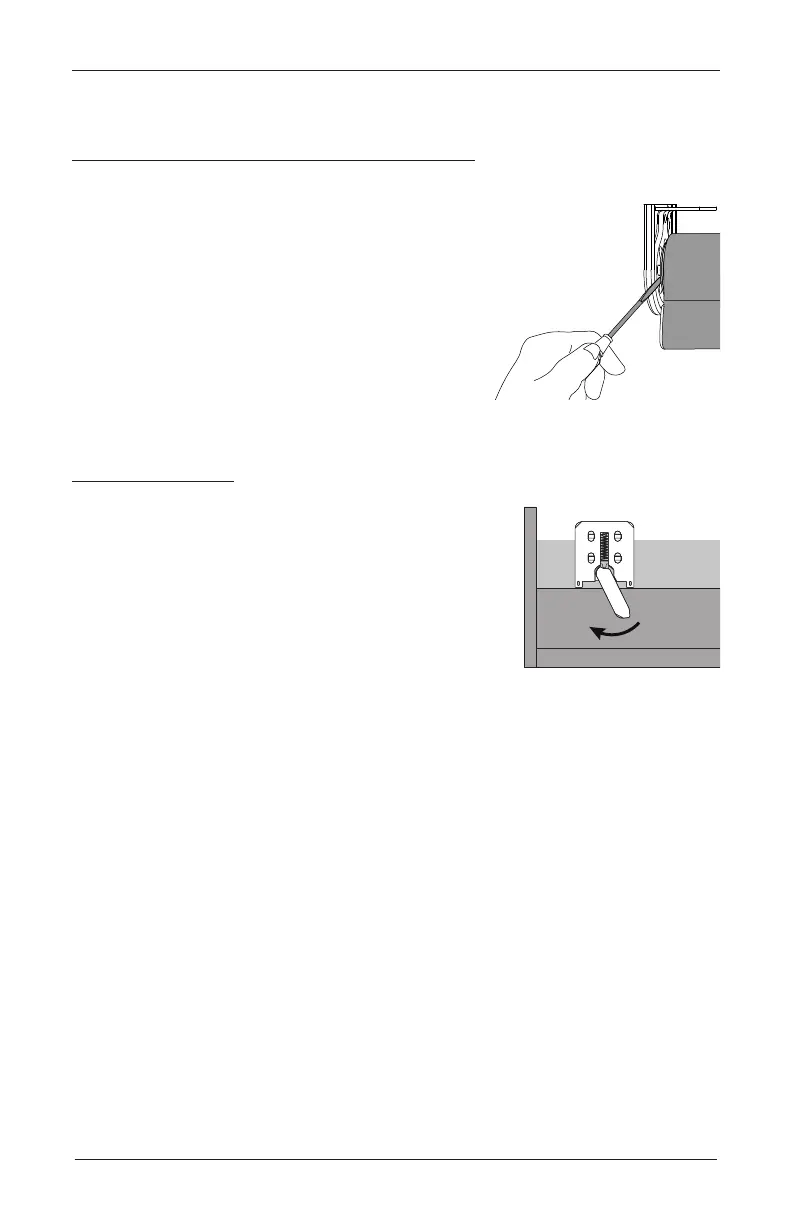
While holding the top of the shade, insert a flat
blade screwdriver into the idle installation channel
between the spring idle and the bracket.
■
With the screwdriver, push the spring idle toward
the shade to release it from thebracket. Remove the
shade from thebrackets.
Cassette Shades
■
Fully raise the shade.
■
Move each lever of the installation brackets to the left to
release the shade.
CAUTION: A flat blade screwdriver can be used to move
the lever. Be very careful not to tear or damage the fabric.
■
Carefully pull the shade away from the brackets to
remove it.
Top View
Move Lever to Left









 To Next Page