VM Series Maintenance and Safety Manual 704-0212-209 Machine Components 1- 21
COMM Panel
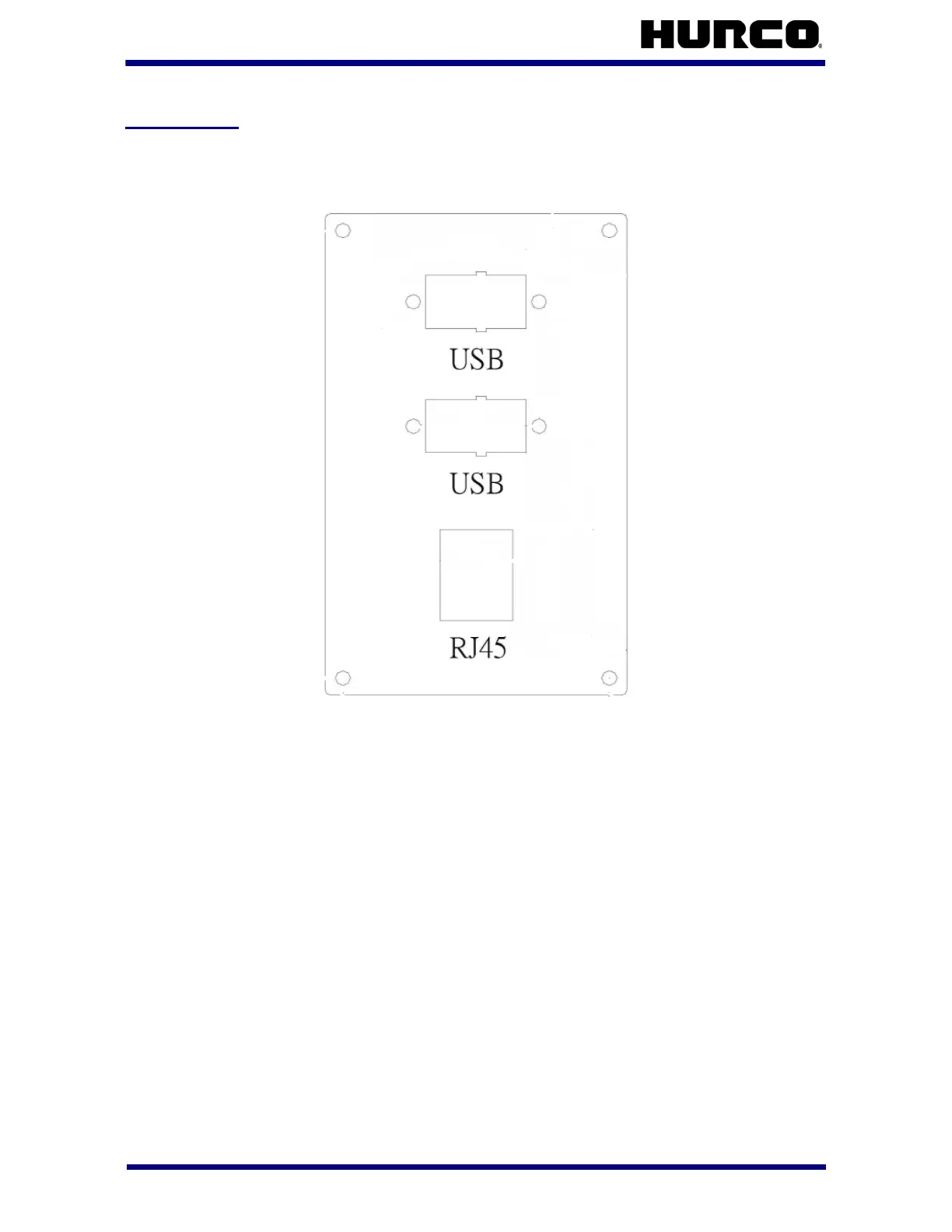
The Communication Panel is typically arranged with these ports:
Figure 1–5. Communication Panel
USB Ports
The Comm panel has two USB (Universal Serial Bus) ports. The USB port is a high-speed
port that allows you to connect devices, such as printers and jump drives to the panel.
You can use a jump drive to transfer files.
Network Port
The 10/100Base-T (RJ45) connector is used with the UltiMonitor option. This option
requires a Local Area Network (LAN or “network”) that supports the IEEE 802.3 Ethernet
hardware standards. Contact your IT provider for guidance about proper LAN design and
setup.
With UltiMonitor, you can communicate with other CNCs, and with PCs or file servers
connected to your LAN using standard TCP/IP and FTP protocols. UltiMonitor also includes
Extended Shop Floor (ESF) for remote machine monitoring and communication.



 To Next Page