Page 11
3. Comfort- DS / Comfort Plus- DS
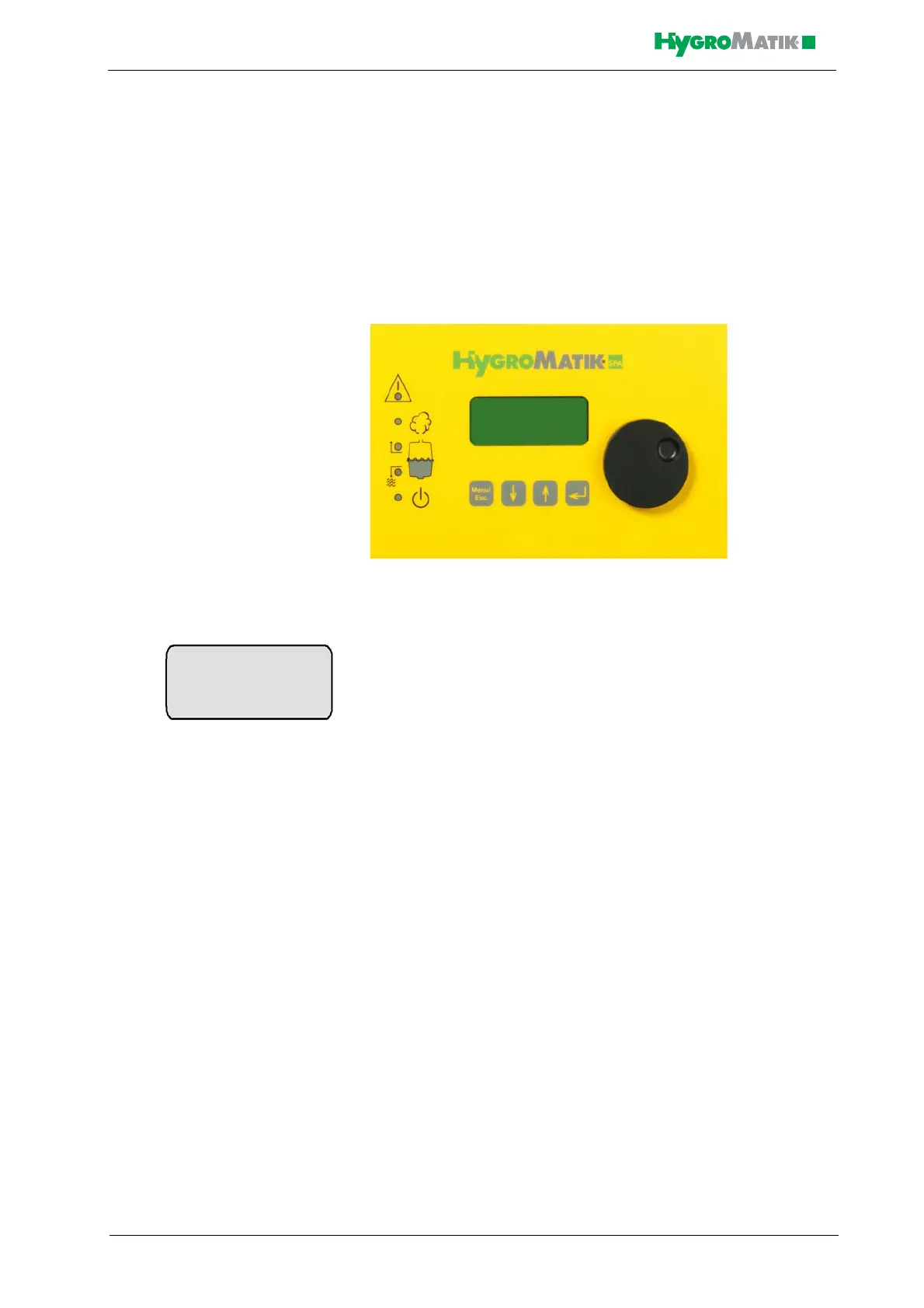
The display and operating panel enables local communication with the
steam generator.
3.1 General View of DS-Control and Operating
Panel
DS-Control Display and Operating Panel
The display is supplied as a four-line, lighted LC-display. Once the
humidifier is switched on, it shows:
1st Line: Operating mode of the steam bath steam generator and sta-
tus of fan, essence delivery and light.
2nd Line: active temperature in the cabin (°C)
3rd Line: normally blank
4th Line: function settings for the fan, essence delivery system and
light
The humidifier operational conditions steam production / humidifica-
tion / filling and blow-down can also be displayed and are indicated
by the three middle yellow LEDs on the operating panel (see graphic
below).
In case of a steam generator malfunction, the topmost red LED blinks.
The control automatically shuts off the steam generator.
The lowermost green LED indicates that the steam humidifier is
switched on and ready.
Steam Bath F E L
X.X °C
°C F E L













 To Next Page