Page 12
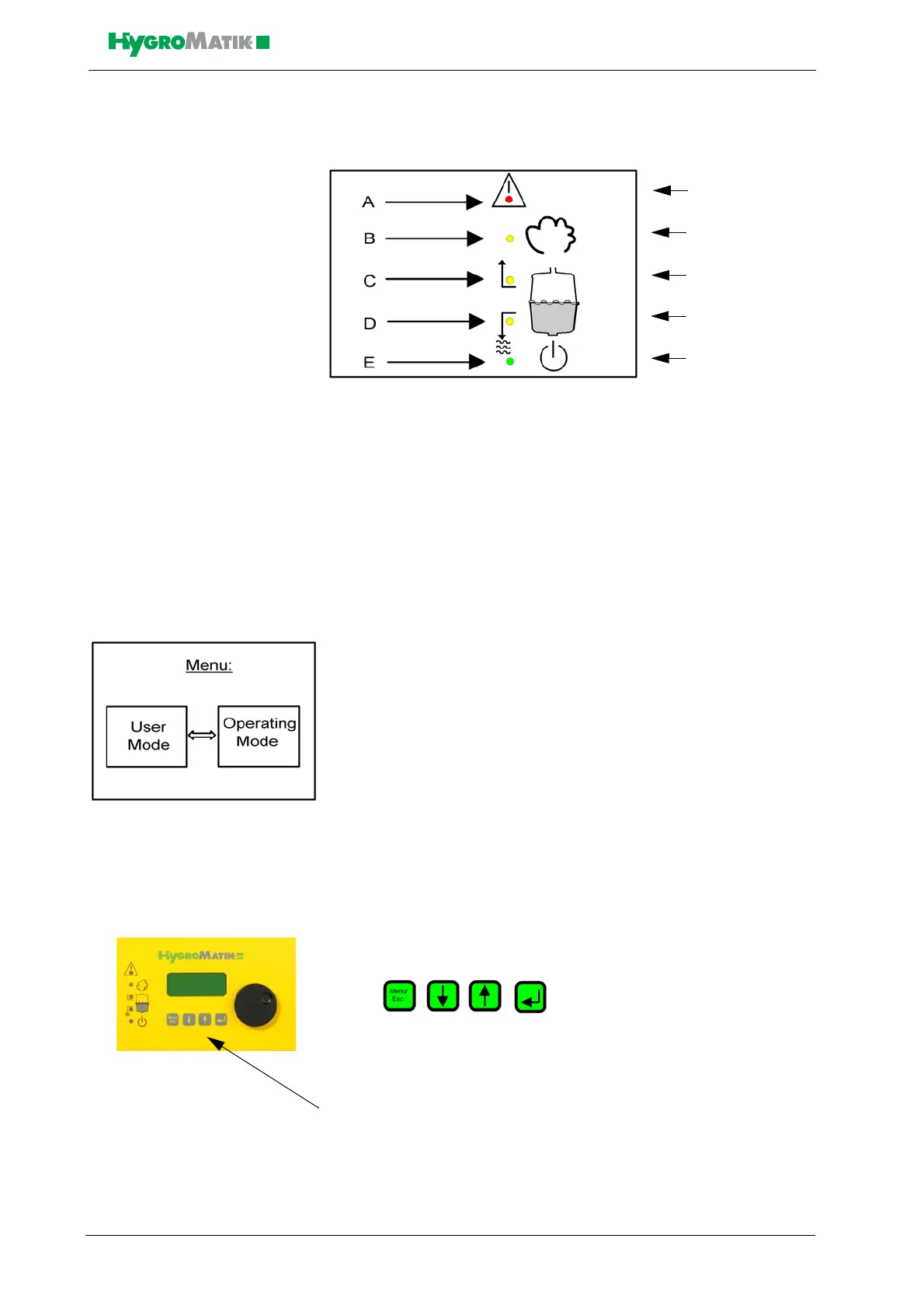
LED colors:
red
yellow
yellow
yellow
green
A: Malfunction
B: Steady LED = humidification; blinking LED = maximum water
C: Filling
D: Blow-Down
E: Steady LED = ready; blinking LED = maintenance interval
3.2 Communication with the Control
Local communication with the Comfort / Comfort Plus control (data
input and output) is possible using the display and keypad.
Access modes for communication with the steam bath control are
divided into:
-the User Mode (access for daily use), also see Section “User
Mode - Communication with the Control”
-the Operating Mode (access for initial operation and mainte-
nance), also see Section “Software Menu and Setting Param-
eters”
3.2.1 Function Keys
Keys are located below the display. Above
each key, a context-based action (software key) is shown on the lowest
line of the display (i.e. an “°C” key). The action is performed by press-
ing the key. The software keys in the display unit enable parameter
modification.
Keys














 To Next Page