2
BASIC OPERATION
2-2
Previous view
D Turning ON the transceiver
NOTE: Before using the transceiver for the rst time,
the battery pack must be fully charged for optimum
life and operation. See the INSTRUCTIONS for
details.
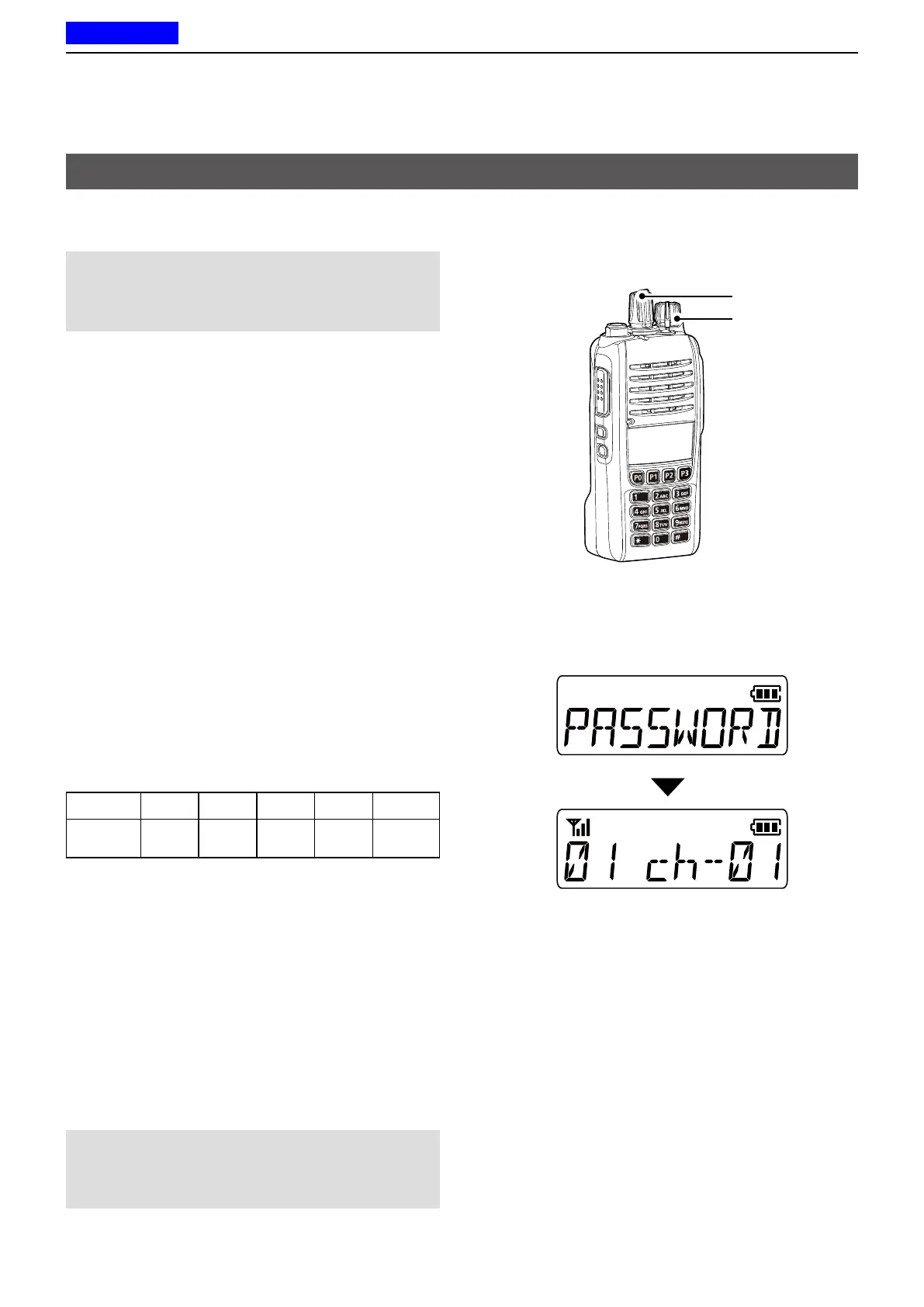
Rotate [VOL] to turn ON the transceiver.
• The battery voltage or the opening text may be
displayed, depending on the presetting.
D Adjusting the audio level
When receiving a call, rotate [VOL] to adjust the audio
output level.
D Entering the password
<For the Simple key and Ten-key types>
If the transceiver is preset for a Power ON Password,
“PASSWORD” is displayed when turning ON the
transceiver.
In that case, enter the password.
1. Push the appropriate keys to enter numbers, as
described below.
Key [P0] [P1] [P2] [P3] [Down]
Number
0
5
1
6
2
7
3
8
4
9
2. After entering the correct password, the
transceiver automatically displays the Standby
screen.
<For the Ten-key type>
z You can also enter the password using the Ten-key.
NOTE: If the transceiver does not display the
Standby screen after entering the password, the
entered code may be incorrect. Turn OFF the
transceiver, then ON again to re-enter the password.
Standby screen (Example)
Turning ON the transceiver
[VOL]
[Rotary Selector]



 To Next Page
 Loading...