3
ADVANCED OPERATION
3-3
Previous view
IMPORTANT: It is recommended that the dealer sets
an Emergency channel in each Zone, to provide a
reliable Emergency call operation�
NOTE: Depending on the presetting, the following
functions may be automatically activated�
Auto TX function
After an Emergency call transmission, the
transceiver transmits the microphone audio for a
preset period of time�
Auto RX function
After an Emergency call transmission, the
transceiver stands by in the Audible mode for a
preset period of time�
D Transmitting an Emergency call
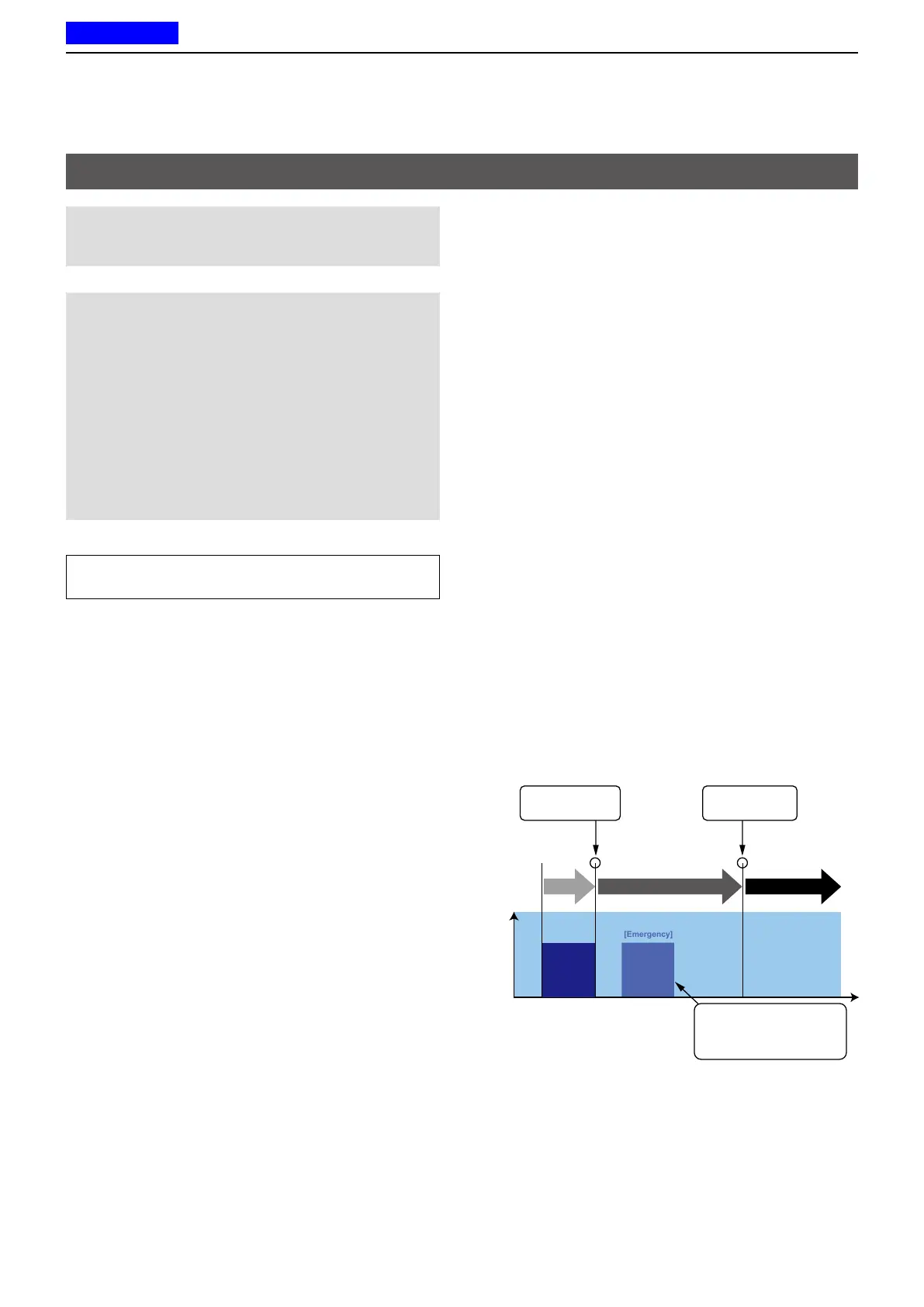
When the transceiver enters the Emergency mode, a
countdown starts� The transceiver counts down during
the Reminder Timer set time�
Before the Reminder Timer set time expires, the
transceiver transmits an Emergency call once, or
repeatedly*, on the specied Emergency channel.
If no Emergency channel is specied, the Emergency
call is made on the previously selected channel�
* Depending on the presetting�
L The transceiver automatically transmits a
repeat Emergency call until it receives an
acknowledgement, or until a user turns OFF the
transceiver�
L If the transceiver is set for the Silent operation,
it transmits an Emergency call without a beep
sounding or the status indicator lighting�
The transceiver enters the Emergency mode through
the following functions:
• The [Emergency] key
When a user holds down [Emergency] for the Emer
SW ON Timer (Sec) preset time�
L If a user holds down [Emergency] for the Emer
SW OFF Timer (Sec) set time before the Reminder
Timer expires, the Emergency mode is canceled�
Operation
Time
ON Timer
Reminder Timer Emergency Timer
Enters the
Emergency mode.
Sends an
Emergency call.
[Emergency]
If holding down [Emergency]
during the Reminder Timer,
the Emergency mode is
canceled.
► Continued on the next page
TIP: A user can transmit the Emergency call in the
2-Tone, 5-Tone, NXDN™, or MDC 1200�
Emergency call



 To Next Page
 Loading...