4
USER SET MODE
4-3
Previous view
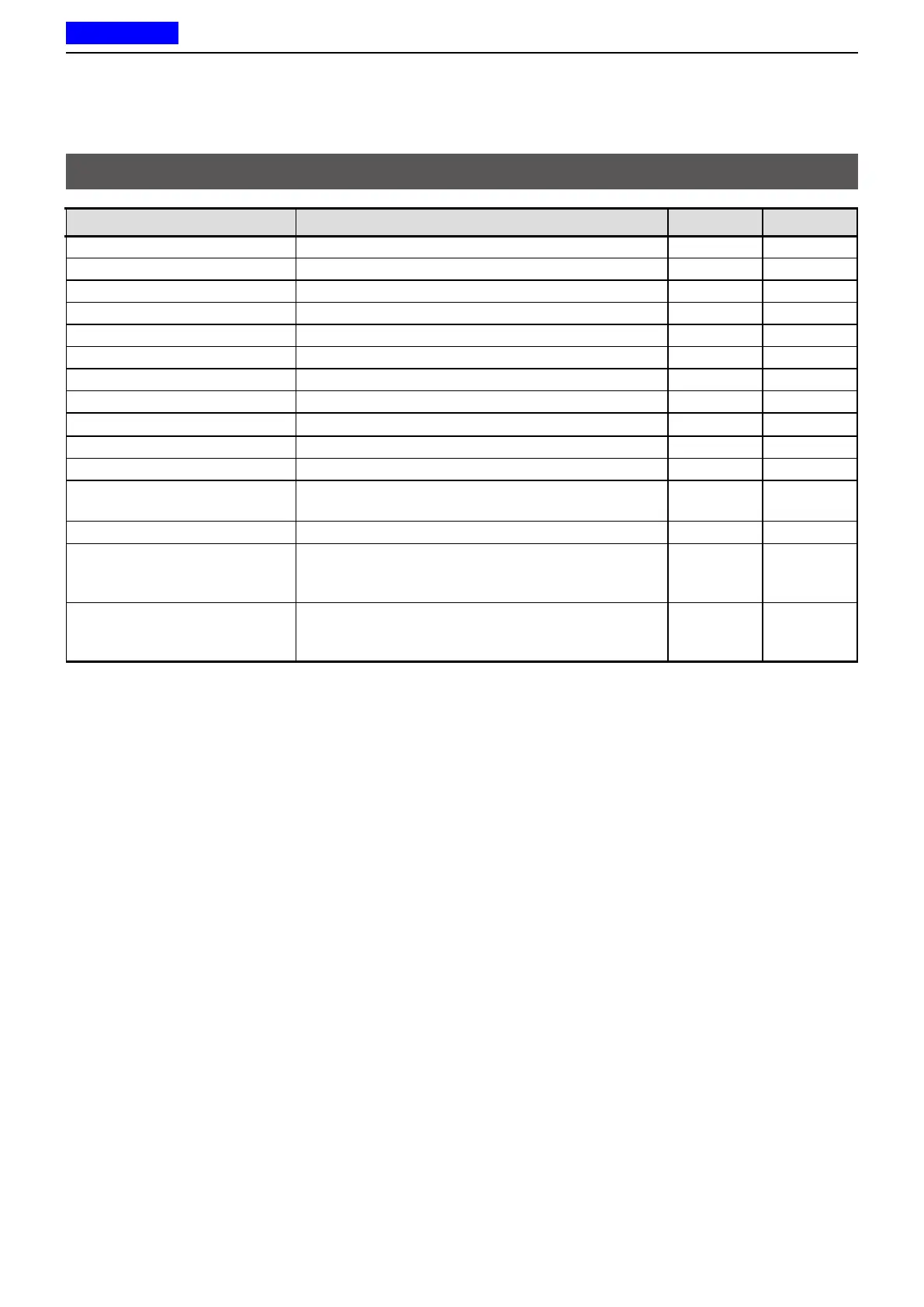
User Set Mode items
Item Description Display Reference
Backlight Sets the Key Backlight status� LIGT p� 4-4
Beep Turns the key-touch beeps ON or OFF� BEEP p� 4-4
Beep Level Sets the beep and announce output level� BEEPV p� 4-4
Ringer Level Sets the Ringer output level� RINGV p� 4-4
SQL Level
(Squelch Level) Sets the squelch level� SQL p� 4-4
AF Min Level
(AF Minimum Level)
Sets the minimum audio output level� AFMIN p� 4-4
Mic Gain
(Microphone Gain)
Sets the microphone sensitivity� MIC p� 4-4
VOX Turns the VOX function ON or OFF� VOX p� 4-4
VOX Gain Sets the VOX gain� VGAIN p� 4-4
VOX Delay (Sec) Sets the VOX Delay� VDLY p� 4-4
Battery Voltage Displays the battery voltage� BATT p� 4-4
Signal Moni
(Signal Monitor) Sets whether or not to release the mute while using
a 2-Tone, 5-Tone, or DTMF code signaling�
SMON p� 4-4
Lone Worker Turns the Lone Worker function ON or OFF� LONE p� 4-4
Stationary Sensitivity Sets the acceleration sensor sensitivity to detect
if the user is stationary or not for the Stationary
Detection function�
STNARY p� 4-5
Motion Sensitivity Sets the acceleration sensor sensitivity to detect
whether the user is moving or not, for the Motion
Detection function�
MOTION p� 4-5



 To Next Page
 Loading...