4
USER SET MODE
4-5
Previous view
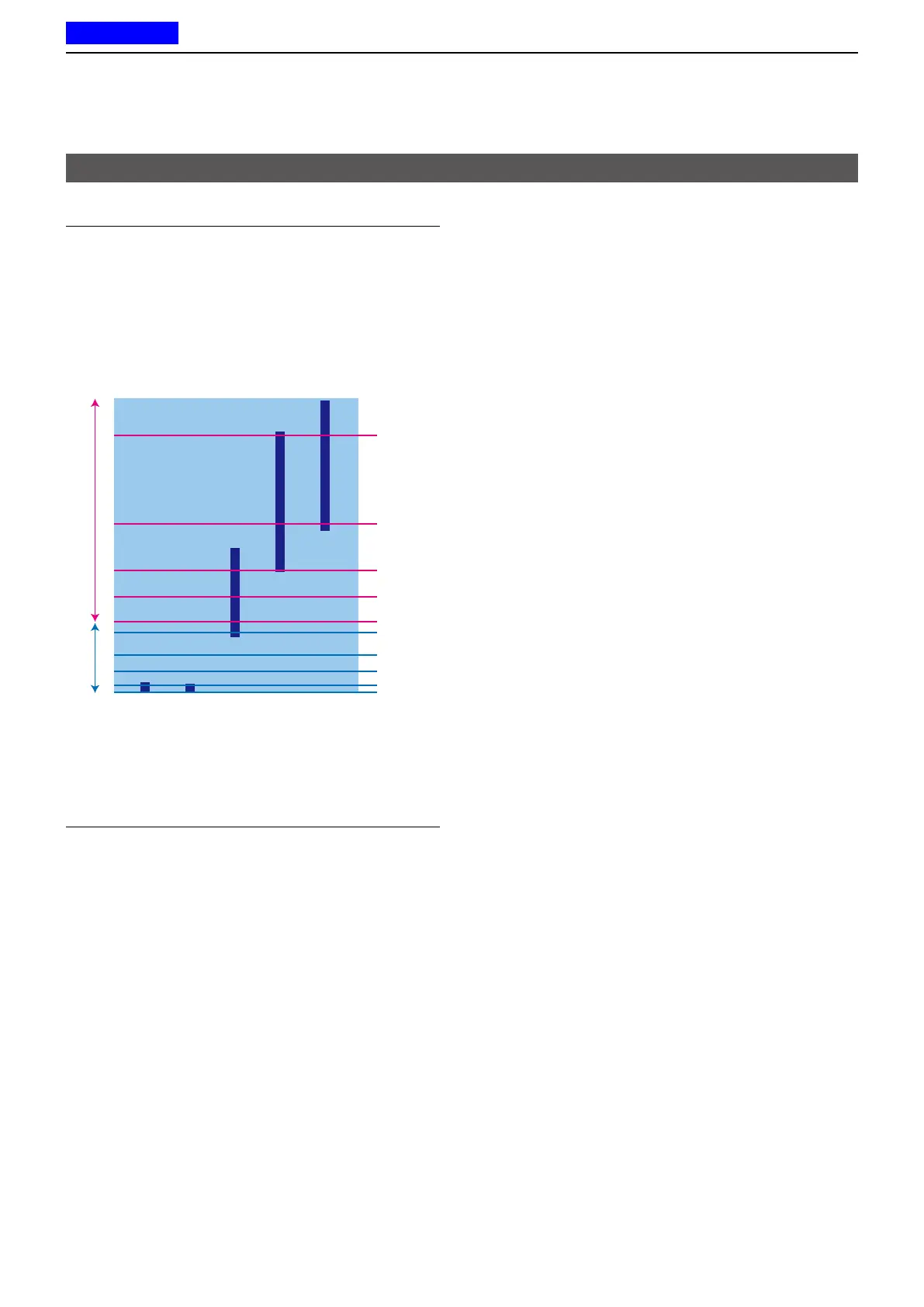
Stationary Sensitivity
Sets the acceleration sensor sensitivity to detect if the
user is stationary or not for the Stationary Detection
function�
• Range: 1 (high sensitivity) ~10 (low sensitivity)
L If you set at a higher level, the transceiver will enter the
Emergency mode more easily�
Desk Work
n
Walking (fast)
Running
9
10
1
3
5
6
7
8
4
2
Sensitivity For Motion Sensitivity
Motion Sensitivity
Sets the acceleration sensor sensitivity to detect
whether the user is moving or not, for the Motion
Detection function�
This setting is used for the Stationary Detection
function, and it determines the acceleration threshold
level to activate the Stationary Detection’s ON Timer
(Sec)�
• Range: 1 (high sensitivity) ~10 (low sensitivity)
L If you set at a lower level, the transceiver will enter the
Emergency mode more easily�
User set mode items



 To Next Page
 Loading...