1
Preparation
9
■ Setting up a network
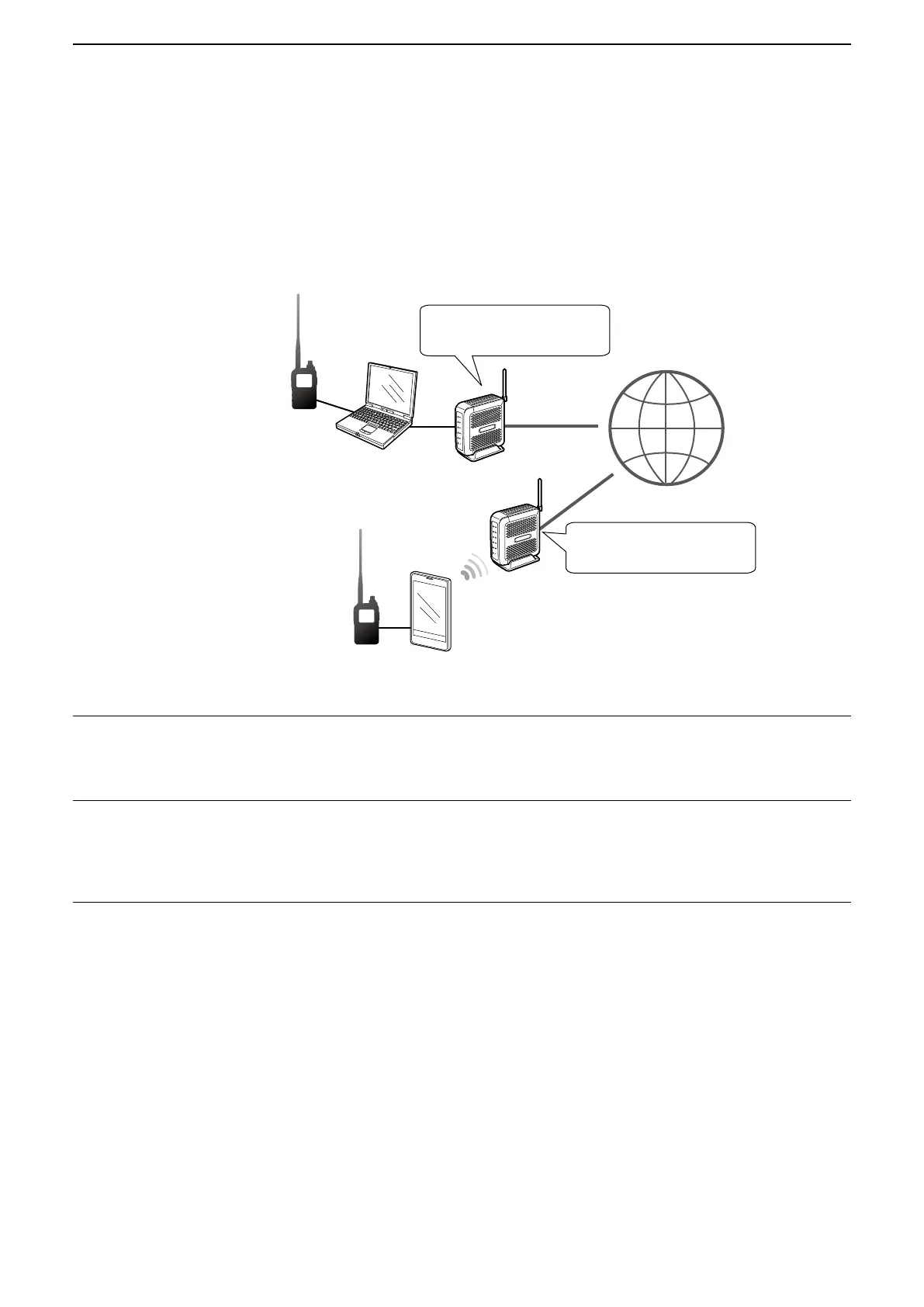
DWhen connecting your device to the Internet using a router
The following are required to use the DV Gateway function.
• An Internet connection with an IPv4 Global IP address
• A static* local IP address set to your Windows or Android device
• Port forwarding of port 40000
InternetInternet
Needs a Global IP address.
Needs a Global IP address.
* A static IP address to the
Windows or Android device is
recommended.
Forward port
number 40000.
Forward port
number 40000.
1. A Global IP address
A static or dynamic IPv4 Global IP address assigned to the router is needed.
L Your router may not have a Global IP address, depending on your Internet service provider.
Ask your Internet service provider about the Global IP address setting.
2. Setting a static local IP address to your device
When using a router, you need to set a static local IP address to the Windows or Android device.
L Usable IP addresses differ, depending on your router. Ask the router’s manufacturer for details.
L Do not set the same IP address to two or more devices that are connected to the same router.
L Ask your Windows or Android device’s manufacturer about the setting details.
3. Port forwarding
When using a router, enable communication with the Internet, as described below.
z Forward the port number 40000 that is used in the RS-MS3W or RS-MS3A.
z “UDP” should be used as the port protocol.
z Set a static local IP address in Procedure 2 (2. Setting a static local IP address to your device) as a destination
port.
L Ask the router’s manufacturer about how to forward the port.
L Only one Windows or Android device connected to the router can use the DV Gateway function at the same time.
L Depending on the router settings, you must configure the IP filter settings. Check the router’s manual on how to configure
the settings.
→ When using a Windows device, go to “Setting up the RS-MS3W.” (p. 12)
→ When using an Android device, go to “Setting up the RS-MS3A.” (p. 13)



 To Next Page