3
Terminal mode operation
18
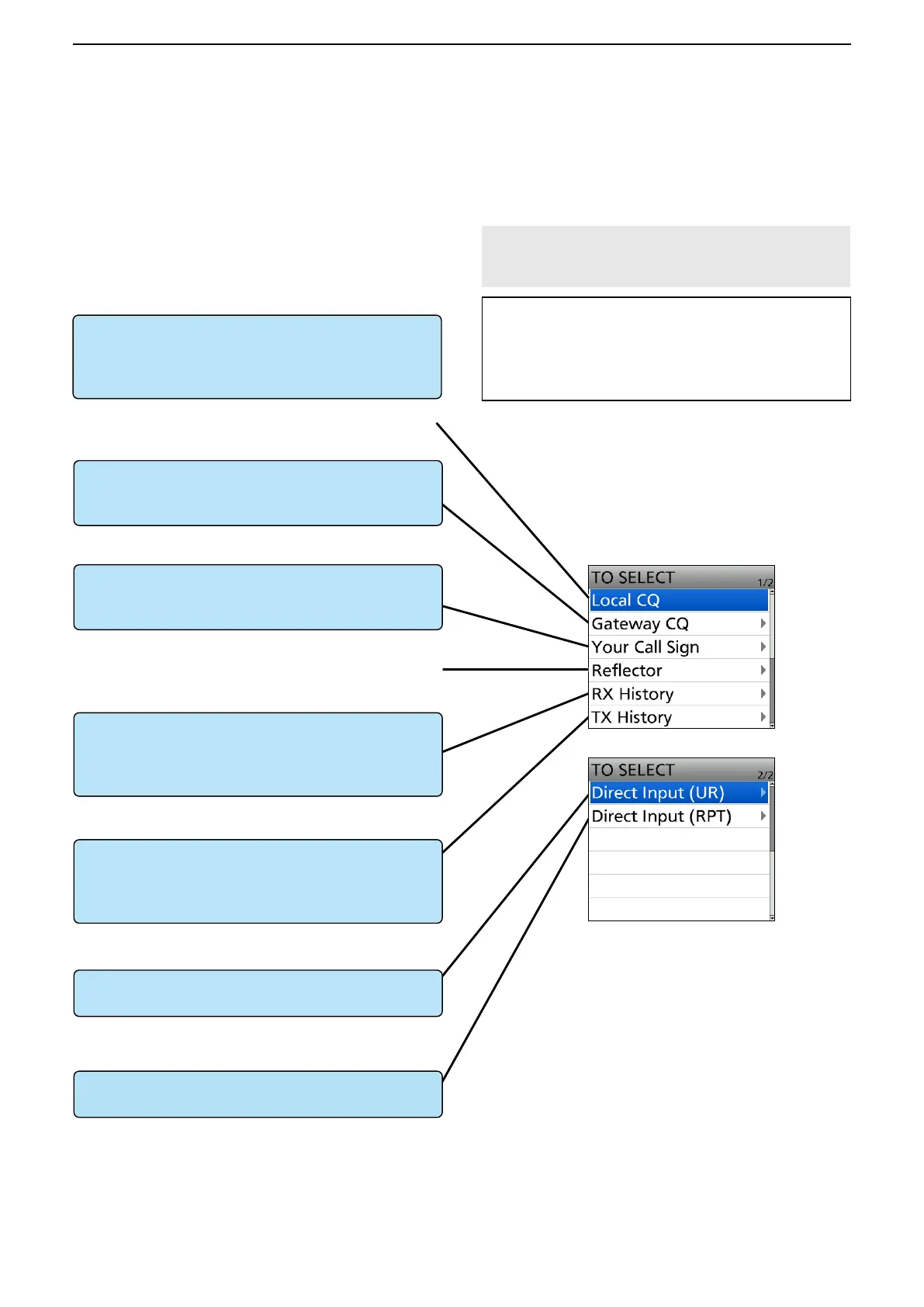
■ Operating in the Terminal mode
DSetting “TO” (Destination) to make a call
To make a Gateway CQ call
“Gateway CQ” setting (p. 19)
Select a repeater from the Repeater List, if you want
to make a Gateway call.
To make a call to a specific station
“Your Call Sign” setting (p. 20)
Select the station call sign in the Your Call Sign list.
To select from RX History
Setting from the RX History*
When you receive a call, repeater or caller station
data is saved in RX History.
Select the destination from the record.
To directly enter the destination station call sign
Direct Input (UR)*
Directly enter the destination station’s call sign.
To directly enter the destination repeater call sign
Direct Input (RPT)*
Directly enter the destination repeater’s call sign.
TO SELECT screen
“CQCQCQ,” the destination repeater, or station call
sign must be set in “TO” when you make a DV mode
call.
You have 7 ways to set the destination.
L You can select the “Local CQ,” but cannot make a call.
L You cannot make a call through a reflector.
By rotating [DIAL]
Rotate [DIAL] to select the repeater or Your Call
Sign displayed on the DR screen. (This operation is
disabled when “CQCQCQ” is set.)
* See the transceiver’s Advanced manual for details.
ID-31A PLUS/ID-31E PLUS: Section 4
ID-51A (PLUS2)/ID-51E (PLUS2): Section 8
ID-52A/ID-52E/ID-50A/ID-50E/
ID-52A PLUS/ID-52E PLUS: Section 5
NOTE: In the Terminal mode, you can make a
Gateway CQ call or a call to a specific station using
call sign routing.
TIP: How to change the repeater group:
When “Gateway CQ” is selected, you can change
the repeater group.
To change the repeater group on the DR screen,
push [QUICK], then select “Group Select.”
To select from TX History
Setting from the TX History*
When you make a call, the destination repeater or
called station data is saved in TX History.
Select the destination from the record.



 To Next Page