EasyManua.ls Logo

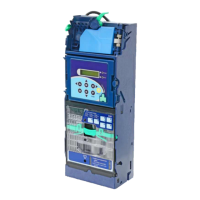
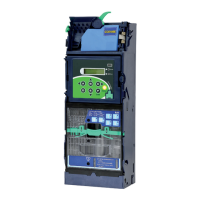
ICT cc6100 - User Manual

Default Icon
97 pages
Print Icon
To Next Page IconTo Next Page
Loading...
1

Questions and Answers

ICT cc6100 Specifications

General IconGeneral
BrandICT
Modelcc6100
CategoryCash Counters & Coin Sorters
LanguageEnglish

Summary

Module Descriptions

LCM Panel and Controls

Details the Liquid Crystal Module (LCM) display, buttons, LED indicators, and download port.

Installation Procedures

Device Mounting Instructions

Step-by-step guide for physically mounting the coin changer into a vending machine.

Tube Cassette Refill Instructions

Details how to remove and refill the coin tubes within the cassette.

Installation and Initialization Checklists

Installation Verification

Ensures proper physical alignment and coin path verification after installation.

Initialization Verification

Confirms correct wiring, coin levels, and dispensing function after power-up.

Operation: EZ Code Overview

Operating Functions (EZ Codes)

Lists and describes functions accessible via EZ codes, including refill and inventory checks.

Setting Functions (EZ Codes)

Details configuration options accessible via EZ codes, such as reset, accept/reject, and float settings.

Operation: EZ Code Settings

Executive Setting Functions

Describes advanced settings for executive interfaces, including sell mode and pricing.

Operation: Dispensing Coins

Dispensing Coins to Low Level

Details procedures for dispensing coins to low level in all tubes or specific tubes.

Operation: Refill Coin Function

Refill Coin Procedure

Explains how to perform the coin refilling process using the LCM and specific codes.

Operation: Inventory and Count Functions

Total In;Out Function

Details how to check total coin pay-in and pay-out values and the difference.

Clear Tube Count Function

Explains the procedure to clear the coin tube inventory memory.

Operation: Reset Records

Resetting Bookkeeping Data

Details the process for clearing total coin pay-in and pay-out value records.

Operation: Coin and Tube Settings

Accept;Reject Coin Switch

Explains how to configure settings for accepting or rejecting specific coin denominations.

Operation: Configure Cash Float

Cash Float Configuration

Guides on setting cash float levels for coin denominations and managing overflow.

Operation: Cash Float Management

Activate Cash Float Type

Explains how to activate different cash float types (A, B, or C) for coin denominations.

Check Current Cash Float

Details how to view the current cash float status for various coin denominations.

Operation: Interface and Default Settings

Operation: Error Information and Bill Limits

Operation: Cash Float Mode Setting

Operation: Coin Acceptance and Escrow Settings

Operation: Inventory and Reserved Coin Settings

Executive Settings: Sell Mode and Price Display

Executive Settings: Product Price

Executive Settings: Pricing Options

Executive Settings: Bill Acceptor and Decimal Adjustment

Executive Settings: Residual Credit and Acceptance Limit

DIP Switch Settings

DIP Switch Functionality

Details the function of each DIP switch for anti-counterfeiting, acceptance, and calibration.

JPSTD Interface Wire Harness Pin Assignments

MDB Interface Wire Harness Pin Assignments

Executive & MDB Interface Harness Pin Assignments

Maintenance Procedures

Recommended Maintenance Schedule

Suggests cleaning the coin changer every six months or more frequently based on usage.

Maintenance Cleaning Guidelines

Troubleshooting: Error Code Messages

Error Code Directory

Provides a comprehensive list of error codes, their causes, and corresponding LED indicators.

Troubleshooting: Error Handling (LCM Panel & Checksum)

LCM Panel Open Error (E10)

Details corrective measures for when the LCM panel is open or not properly secured.

Checksum Error (E11)

Explains how to handle checksum errors, typically requiring notification of ICT personnel.

Troubleshooting: Error Handling (Payout & Communication)

Payout Mode Error (E12)

Addresses errors related to the payout module signal connection.

Communication Error (E13)

Guides on resolving communication issues between the changer and VMC.

Troubleshooting: Coil and Level Sensor Errors

Coil Errors (E14, E15, E16)

Provides troubleshooting steps for damaged coils, typically requiring ICT personnel.

Low Level LED Error (E17)

Addresses errors related to the low-level sensor, including cleaning optical lenses.

Troubleshooting: Sort Sensor Error

Troubleshooting: Deck Open & Motor Errors

Deck Open Problem (E19)

Explains how to resolve issues when the deck remains open for too long.

Motor Errors A&B (E20)

Initial troubleshooting for motor positioning errors, referring to E21 and E22.

Troubleshooting: Motor Error A (E21)

Motor Error A Corrective Measures

Provides steps to fix motor A errors, checking for obstructions and disk derailment.

Troubleshooting: Motor Error B (E22)

Motor Error B Corrective Measures

Details how to resolve motor B errors, checking obstructions and coin rod issues.

Troubleshooting: Motor Error Corrective Actions

Troubleshooting: Cassette Out Error (E23)

Troubleshooting: Tube H;L Sensor Error (E24)

Troubleshooting: Tube Sensor Errors A, B, C

Troubleshooting: Tube Sensor Errors D, E, F

Troubleshooting: Barcode & Coin Size Errors

Troubleshooting: Recognition & VMC Inhibit Errors

Firmware Download and Upgrade Instructions

Firmware Download Using FP-004

Provides instructions for downloading MCU STM32 firmware using the FP-004 tool.

FP-004 Firmware Download Process

Initiating Firmware Download

Guides on executing the FP4DT software and selecting download options.

FP-004 Firmware Download Completion

Firmware Download via IrDA

IrDA Firmware Download Procedure

Details the steps for downloading firmware using a PDA with IrDA capability.

PC Tool Instructions

Cashfloat Setting Introduction

Guides on setting up the coin changer using the PC Tool, starting with initial settings.

PC Tool: Customization Settings

Customizing Changer Settings

Details how to modify settings like coin acceptance, levels, and cashflow via PC Tool.

PC Tool: Setting Coin Channels

Configuring Coin Channels

Explains how to set coin channels and prices for the 6100E type changer.

PC Tool: Setup File Management

PC Tool: Saving Setup Files

PC Tool: Serial Number Setting

Setting and Reading Serial Numbers

Explains how to input, write, and read serial numbers using the PC Tool.

Read Audit Data

Reading Audit Data via ICT MTB

Provides steps to read audit data using the ICT MTB device.

Read Audit Data via IrDA

IrDA Audit Data Transmission

Details the process for reading audit data using IrDA and a PDA.

Module Assembling Procedures

Recognition Module Disassembly

Coin Discharge Module Disassembly

Related product manuals