PRT-CTRL-SE Protege SE Integrated System Controller Installation Manual | June 2017 13
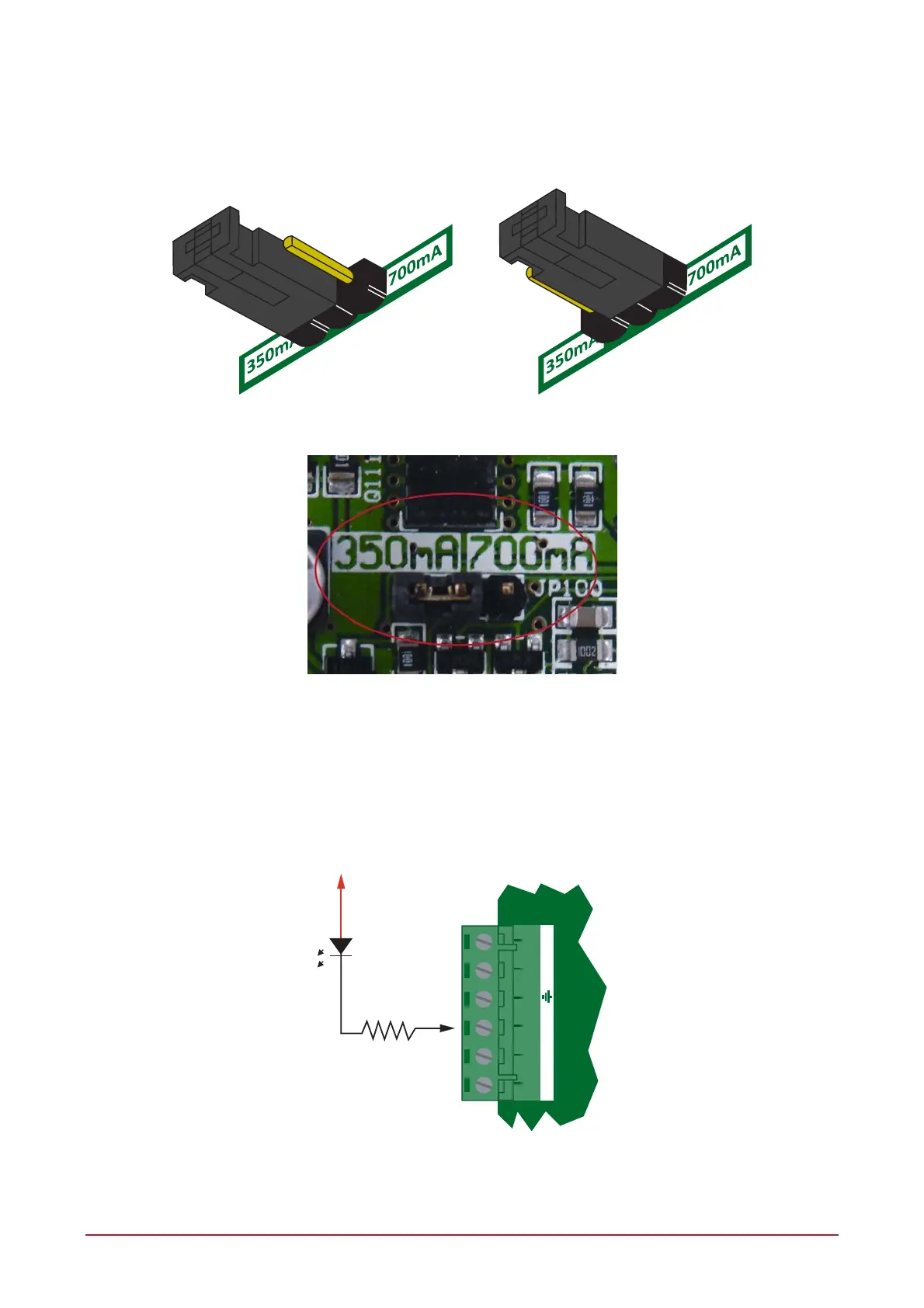
4.7 Battery Charge Current Setting
To configure the Controller manually for the charge current, select the appropriate battery current limit setting
using the jumpers as shown below.
350mA 700mA
Battery Charge Jumper
Jumper Location
4.8 Status Indicator
The status output will activate according to the status indicator on the Controller and can be used to provide
signalling or indication of the Controller status outside the enclosure. The following diagrams show the
connection of an LED indicator to the status output.
1K5 OHM
LED
AC AC ST TP TP
+12V AUX
External Status LED Connection



 To Next Page