Installation Procedures – Laser Receiver Calibration
Laser Receiver Calibration - Manual
Take the laser receiver measurements discussed earlier in this section
and enter them in the machine parameters:
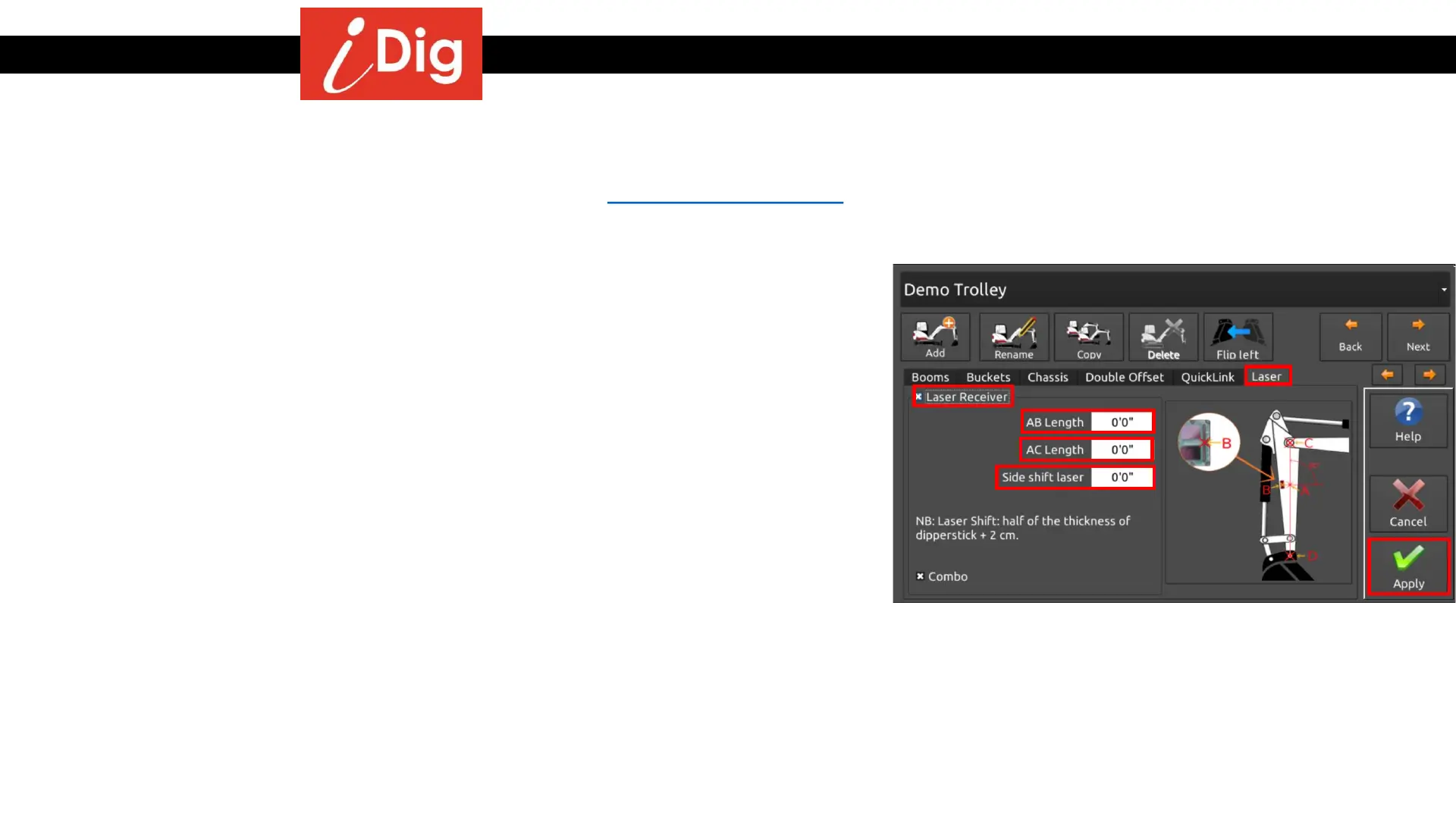
• Press the Gearbox button on the Main Screen then:
• System Settings >
• Select or Edit Machines >
• Edit Machine Parameters >
• Laser Tab
• Click on Laser Receiver to place a check mark in the box.
• The AB Length should be 0 if the string line generated passes
through the center of the Laser Receiver. If it doesn’t you will need
to measure the distance from the string line coming off that line at
a 90° angle as indicated in the drawing. If the Sensor photo cell is
below the string line, then the value entered is negative. If it is
above the string line, then the value entered is positive.
• Enter the AC length.
• Enter the Side Shift Laser value. This is half the boom width plus ¾”
(.062 in Imperial).
• Press “Apply”
32



 To Next Page