38 Installation, Support, and Maintenance Guide
Evolution X7 Satellite Router
Console Port Connection
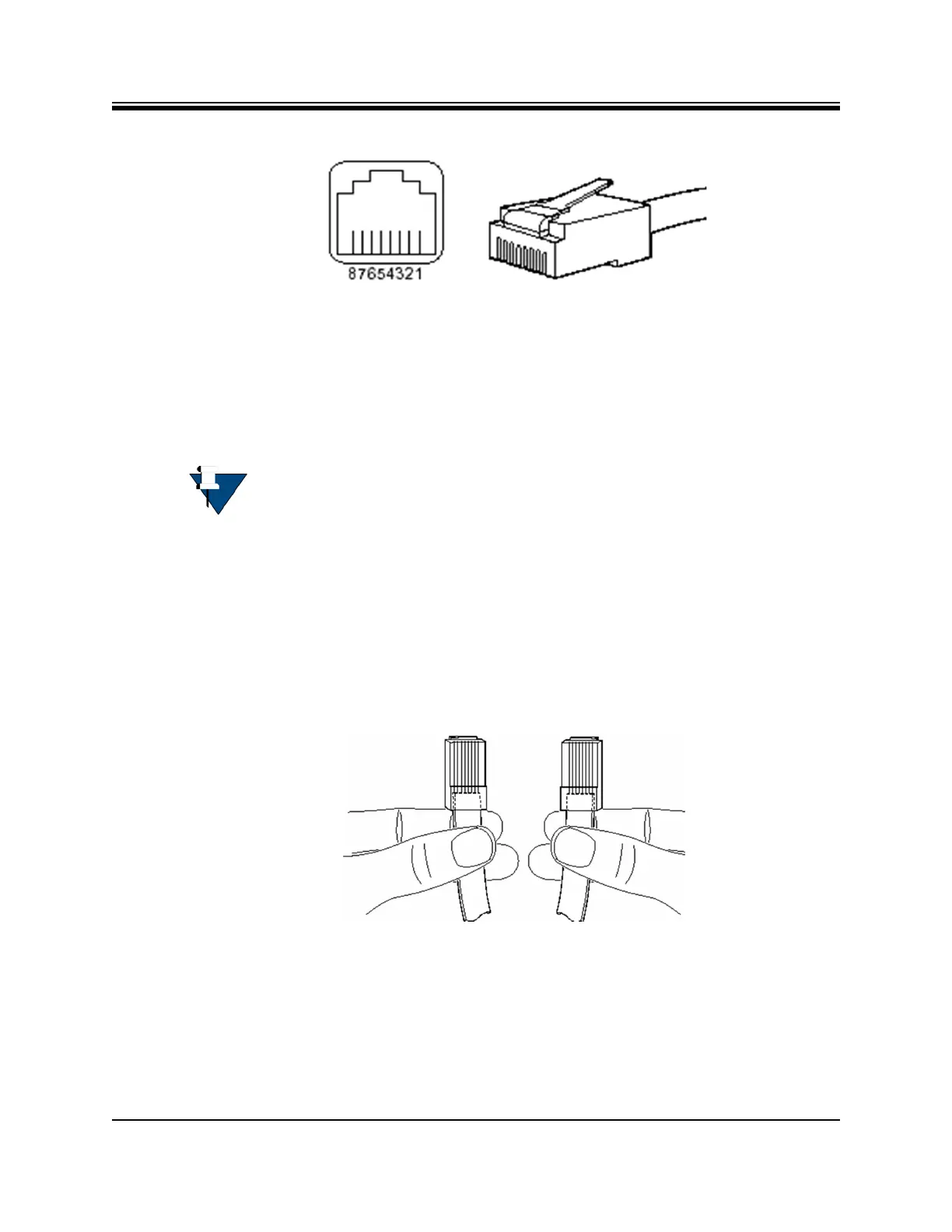
Figure D-6. RJ-45 Cable Connectors: Receptacle and Plug
The 10 Base-T/100 Base-T Fast Ethernet ports support IEEE 802.3 and IEEE 802.3u
specifications for the 10-Mbps and 100-Mbps transmission over Unshielded Twisted-Pair (UTP)
cables. Use Category-3 or Category-5 UTP cable with RJ-45 connectors to attach the 10/100
Base-T Ethernet LAN ports on the Evolution X7 Satellite Router chassis to the customer
provided LAN Hub or switch.
NOTE: iDirect supplies one 7-foot Category 5 UTP cable to connect the X7 Router
to the LAN hub or switch. If additional cables or different lengths are needed,
they may be bought commercially.
D.2.2 Straight Through and Crossover RJ-45 Cables
To confirm the RJ-45 cable type, hold the cable ends as depicted in Figure D-7. The sequence
of the colored wires should be as follows:
• Straight through — The colored wires are in the same sequence at both ends of the cable
• Crossover — The first (far left) colored wire at one end of the cable is the third colored
wire at the other end of the cable, and the second colored wire at one end of the cable is
the sixth colored wire at the end of the cable
Figure D-7. Holding the RJ-45 Cable Connectors
D.3 Console Port Connection
The Console port is used for servicing the X7 Router.
Connect as follows:



 To Next Page