Installation, Support, and Maintenance Guide 39
Evolution X7 Satellite Router
Console Port Connection
1. Connect an RJ-45 to RJ-45 straight through cable, such as the Ethernet cable included, to
LAN 1 port on the X7 Router.
2. Connect the opposite end of the Ethernet cable to an RJ-45 to DB-9 female DTE adapter,
or a USB dongle (such as a Trendnet TU-S9).
3. Connect to a PC running terminal emulation software.
PC serial port settings should be:
• asynchronous mode
• 9600 baud
• eight (8) data bits, no (N) parity bit, and one (1) stop bit, (9600/8-N-1)
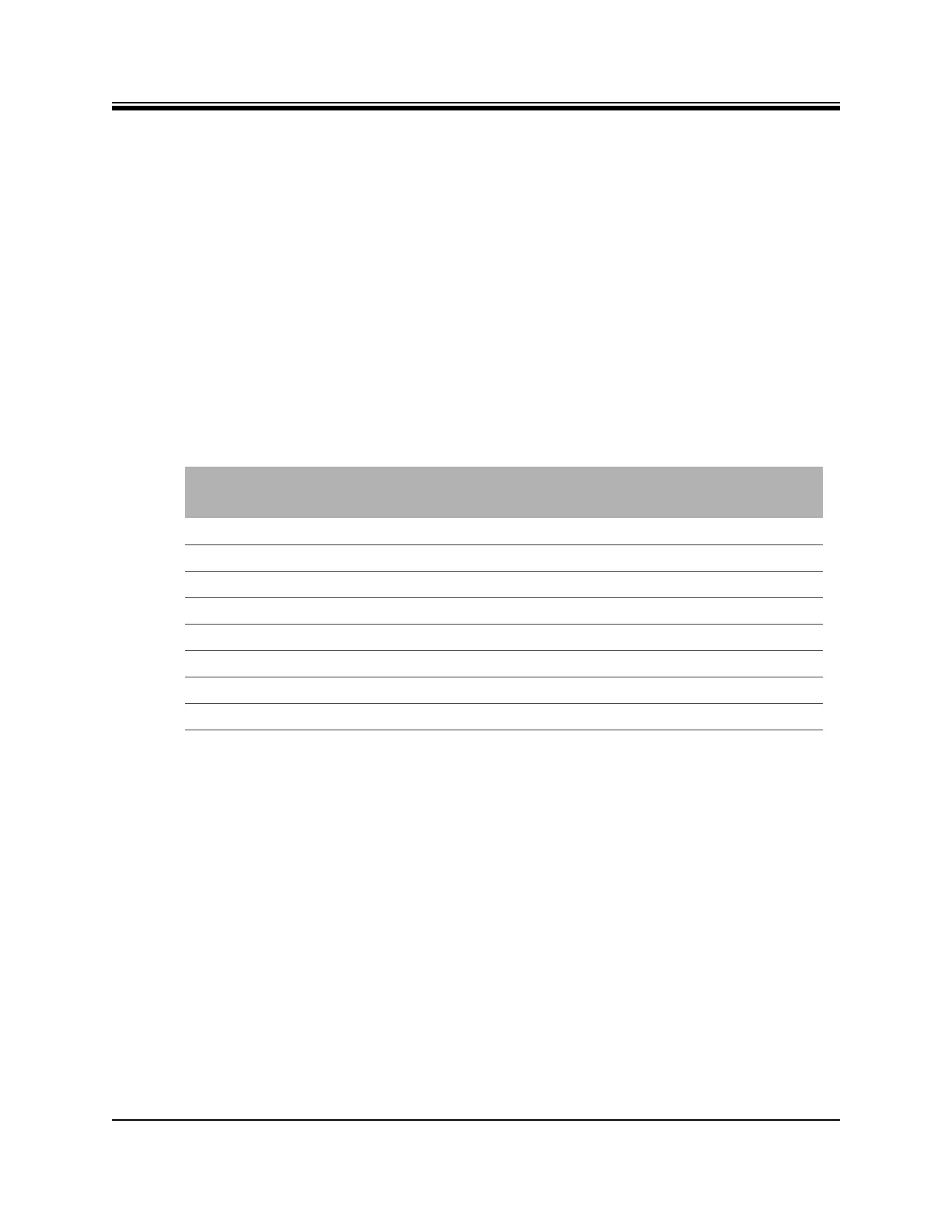
The signal and pinouts for the asynchronous serial Console port (RS-232) of the X7 Router and
an RJ-45 to DB-9 female DTE adapter are listed in Table D-3. A picture of the RJ-45 to DB-9
Female DTE adapter is shown in Figure D-8 on page 40.
Table D-3. RJ-45 to DB-9 Pinouts
Console Port
(DTE)
RJ-45 Pin Color Code
RJ-45 to DB-9
Terminal Adapter
Console
Device
RTS 1 Blue 8 CTS
DTR 2 Orange 6 DSR
TxD 3 Black 2 RxD
GND 4 Red NC GND
GND 5 Green 5 GND
RxD 6 Yellow 3 TxD
DSR 7 Brown 4 DTR
Rx-RF-Power 8 White/Grey 9 Not Connected



 To Next Page