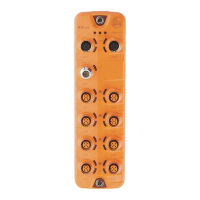
IO-Link Master with PROFINET Interface StandardLine 8 Ports IP 65 / IP 66 / IP 67
>
8.1 Read device and diagnostic information
34216
In order to read the diagnostic information about the current device status via the web interface:
► Connect laptop/PC and AL1102 via the Ethernet internet.
► Start web browser.
► Enter the IP address of the AL1102 into the address field of the browser and press [ENTER] to confirm.
> Web browser shows the web interface of the device.
> The page shows the following data:
Table with connected IO-Link devices
Number of the IO-Link interface
Operating mode of the IO-Link interface
Baud rate of the IO-Link interface
ID of the manufacturer of the IO-Link device
Article number of the IO-Link device
For ifm articles: This article number is stored along with a link to the produkt page on
the ifm website.
Serial number of the IO-Link device
Cycle time for the communication with the SmartObserver
Diagnostic information of the device
Number of detected short circuits
Number of detected overloads
Number of detected under voltages
Device temperature (in °C)
Version information of the installed firmware components
Version of the firmware container
Version of the boot loader
Version of the PROFINET firmware


 To Next Page