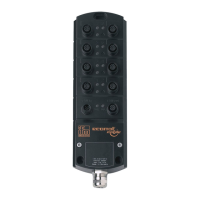
IO-Link Master with PROFINET Interface StandardLine 8 Ports IP 65 / IP 66 / IP 67
14 Index
A
Accessories ........................................................................................... 44
Acyclic data ............................................................................................ 55
Appendix ................................................................................................ 45
Application ............................................................................................. 46
Approvals / tests .................................................................................... 48
C
Cleaning process ................................................................................... 40
Communication, parameter setting, evaluation ..................................... 10
Configuration ......................................................................................... 23
Configure IO-Link devices ...............................................................32, 37
Configure IO-Link ports ......................................................................... 36
Configure the IO-Link master ................................................................ 35
Connect IO-Link devices for Class A operation .................................... 15
Connect IO-Link devices for Class B operation .................................... 16
Connect the device ................................................................................ 17
Cyclic data ............................................................................................. 53
D
Detect diagnostics and alarms .............................................................. 39
Diagnostic and alarms ........................................................................... 57
Digital inputs .......................................................................................... 11
E
Electrical connection ........................................................................13, 49
Electrical data ........................................................................................ 46
Ethernet interface .................................................................................. 19
Ethernet ports ........................................................................................ 14
Explanation of Symbols ........................................................................... 6
F
Factory settings ..................................................................................... 43
Fieldbus
Set PROFINET interface ............................................................................... 27
Firmware
Reboot the device ......................................................................................... 31
Reset device to factory settings .................................................................... 31
Firmware update .................................................................................... 41
Function ................................................................................................... 9
G
General .................................................................................................... 7
I
I&M datasets .......................................................................................... 55
I&M0 (Slot 0) .......................................................................................... 55
I&M0 (Slot 1) .......................................................................................... 56
I&M1 (Slot 0) .......................................................................................... 55
I&M2 (Slot 0) .......................................................................................... 55
I&M3 (Slot 0) .......................................................................................... 56
Inputs ..................................................................................................... 47
Inputs / outputs ...................................................................................... 46
Install GSD Files .................................................................................... 34
Integrate the IO-Link master in the project ............................................ 35
Intended use ............................................................................................ 8
Interfaces ............................................................................................... 47
IO-Link ................................................................................................... 10
IO-Link ports .......................................................................................... 15
Activate data transfer to the LR SMARTOBSERVER .................................. 28
Configure operating mode............................................................................. 29
Set the device validation and data storage................................................... 30
IO-Link ports (Class A) .......................................................................... 20
IO-Link supply ........................................................................................ 11
IoT
Configure access rights ................................................................................. 26
Configure the interface to the LR SMARTOBSERVER................................ 27
L
LED indicators ....................................................................................... 19
Legal and copyright information .............................................................. 5
LR DEVICE ............................................................................................ 24
M
Maintenance, repair and disposal ......................................................... 40
Mechanical data ..................................................................................... 48
Modification history .................................................................................. 6
Mount the device ................................................................................... 12
Mounting ................................................................................................ 12
N
Notes ...................................................................................................... 13
O
Offline parameter setting ....................................................................... 25
Operating and display elements ............................................................ 18
Operating conditions .............................................................................. 48
Outputs .................................................................................................. 47
Overview ................................................................................................ 18
P
Parameter data ...................................................................................... 50
Parameter of the IO-Link master ........................................................... 50
Parameter setting .................................................................................. 10
Parameters of the IO-Link ports ............................................................ 51
Permitted use ........................................................................................... 8
PQI (Port Qualifier Information) ............................................................. 54
Preliminary note ....................................................................................... 5
PROFINET ................................................................................ 10, 33, 50
PROFINET modules .............................................................................. 53
Prohibited use .......................................................................................... 8
Purpose of the document ........................................................................ 5
R
Read additional digital input .................................................................. 38
Read and write cyclic process data ....................................................... 38
Read device and diagnostic information ............................................... 22
Read I&M datasets ................................................................................ 39
Remarks................................................................................................. 25
Replace IO-Link device ......................................................................... 42
Required background knowledge ............................................................ 7
S
Safety instructions ................................................................................... 7
Safety symbols on the device .................................................................. 7
Set-up .................................................................................................... 21
Status LEDs ........................................................................................... 19


 To Next Page