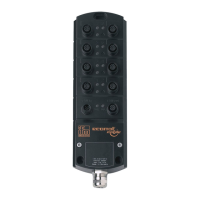
IO-Link Master with PROFINET Interface StandardLine 8 Ports IP 65 / IP 66 / IP 67
>
9.2.4 Configure IO-Link ports
52481
You can access the configuration of the IO-Link ports via the slots 1.2 ... 1.9 of the AL1102. The
following assignment applies
IO-Link port of the AL1102
The available PROFINET modules are defined in the GSD file (→ PROFINET modules (→ S. 53)). A
PROFINET module determines the following properties of an IO-Link port:
Operating mode (IO-Link, DI, DO, deactivated)
Type and length of the process data
optional data (fail-safe values, device validation, data storage, cycle time, events)
The following table shows the available parameters depending on the selected operating mode:
Operating mode of the IO-Link
ports
Validation /
Data
storage
IO-Link: input and output
-- = not available
X = available
To configure an IO-Link port of the AL1102:
► Drag the required PROFINET module from the hardware catalogue and drop it on the slot of the IO-Link port.
► Double click on the slot of the IO-Link port
► Set the parameters as required (→ Parameters of the IO-Link ports (→ S. 51)).
► Repeat the steps to configure further IO-Link ports.
► Save the project.


 To Next Page