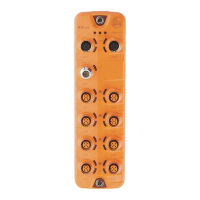
IO-Link Master with PROFINET Interface StandardLine 8 Ports IP 65 / IP 66 / IP 67
>
9.1.7 IO-Link ports: Set the device validation and data storage
33697
In the operating mode "IO-Link" the user can set the behaviour of the IO-Link port with regard to
device validation and the storage / restoration of the parameter data of the connected IO-Link device.
To configure the device validation and the data storage:
► Select [Port x] menu (x = 1...8).
> The menu page shows the current settings.
► Set the following parameters as required:
[Validation / Data
Storage]
Supported IO-Link standard and
behaviour of the device during
connection of a new IO-Link
device on port x (x = 1...8)
No verification of the vendor ID and device
ID
No data storage
[Type
compatible
V1.0 device]
IO-Link device is compatible with the V1.0
IO-Link standard
Verification whether it is an IO-Link device of
the same type (validation via vendor ID and
device ID)
No data storage
[Type
compatible
V1.1 device]
IO-Link device is compatible with the V1.1
IO-Link standard
Verification whether it is an IO-Link device of
the same type (validation via vendor ID and
device ID)
No data storage
[Type
compatible
V1.1 device
with Backup +
Restore]
IO-Link device is compatible with the V1.1
IO-Link standard
Verification whether it is an IO-Link device of
the same type (validation via vendor ID and
device ID)
The IO-Link master saves the parameter
values of the connected IO-Link device;
modifications of the parameter values are
also saved (observe the note!)
When connecting an IO-Link device with
factory settings, the parameter values stored
in the IO-Link master are restored
automatically on the IO-Link device.
[Type
compatible
V1.1 device
with Restore]
IO-Link device is compatible with the V1.1
IO-Link standard
Verification whether it is an IO-Link device of
the same type (validation via vendor ID and
device ID)
The IO-Link master saves the parameter
values of the connected IO-Link device
once.
When connecting an IO-Link device with
factory settings, the parameter values stored
in the IO-Link master are restored
automatically on the IO-Link device.
ID of the manufacturer that is to
be validated
Factory setting: 0
ifm electronic: 310
ID of the IO-Link device that is to
be validated
► Save changed values on the device.
>


 To Next Page