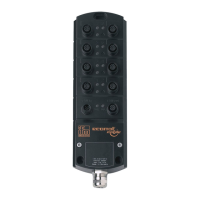
IO-Link Master with PROFINET Interface StandardLine 8 Ports IP 65 / IP 66 / IP 67
8 Set-up 21
8.1 Read device and diagnostic information ............................................................................22
9 Configuration 23
9.1 LR DEVICE ........................................................................................................................24
9.1.1 Remarks ..................................................................................................................................... 25
9.1.2 IoT: Configure access rights ....................................................................................................... 26
9.1.3 IoT: Configure the interface to the LR SMARTOBSERVER ....................................................... 27
9.1.4 Fieldbus: Set PROFINET interface ............................................................................................. 27
9.1.5 IO-Link ports: Activate data transfer to the LR SMARTOBSERVER .......................................... 28
9.1.6 IO-Link ports: Configure operating mode.................................................................................... 29
9.1.7 IO-Link ports: Set the device validation and data storage .......................................................... 30
9.1.8 Firmware: Reset device to factory settings ................................................................................. 31
9.1.9 Firmware: Reboot the device ...................................................................................................... 31
9.1.10 Configure IO-Link devices .......................................................................................................... 32
9.2 PROFINET .........................................................................................................................33
9.2.1 Install GSD Files ......................................................................................................................... 34
9.2.2 Integrate the IO-Link master in the project ................................................................................. 35
9.2.3 Configure the IO-Link master ..................................................................................................... 35
9.2.4 Configure IO-Link ports .............................................................................................................. 36
9.2.5 Configure IO-Link devices .......................................................................................................... 37
9.2.6 Read and write cyclic process data ............................................................................................ 38
9.2.7 Read I&M datasets ..................................................................................................................... 39
9.2.8 Detect diagnostics and alarms ................................................................................................... 39
10 Maintenance, repair and disposal 40
10.1 Cleaning process ...............................................................................................................40
10.2 Firmware update ................................................................................................................41
10.3 Replace IO-Link device ......................................................................................................42
11 Factory settings 43
12 Accessories 44
13 Appendix 45
13.1 Technical data ....................................................................................................................46
13.1.1 Application .................................................................................................................................. 46
13.1.2 Electrical data ............................................................................................................................. 46
13.1.3 Inputs / outputs ........................................................................................................................... 46
13.1.4 Inputs.......................................................................................................................................... 47
13.1.5 Outputs ....................................................................................................................................... 47
13.1.6 Interfaces .................................................................................................................................... 47
13.1.7 Operating conditions .................................................................................................................. 48
13.1.8 Approvals / tests ......................................................................................................................... 48
13.1.9 Mechanical data ......................................................................................................................... 48
13.1.10 Electrical connection .................................................................................................................. 49
13.2 PROFINET .........................................................................................................................50
13.2.1 Parameter data ........................................................................................................................... 50
13.2.2 Cyclic data .................................................................................................................................. 53
13.2.3 Acyclic data ................................................................................................................................ 55
14 Index 58


 To Next Page