71
ADSL MONITORING
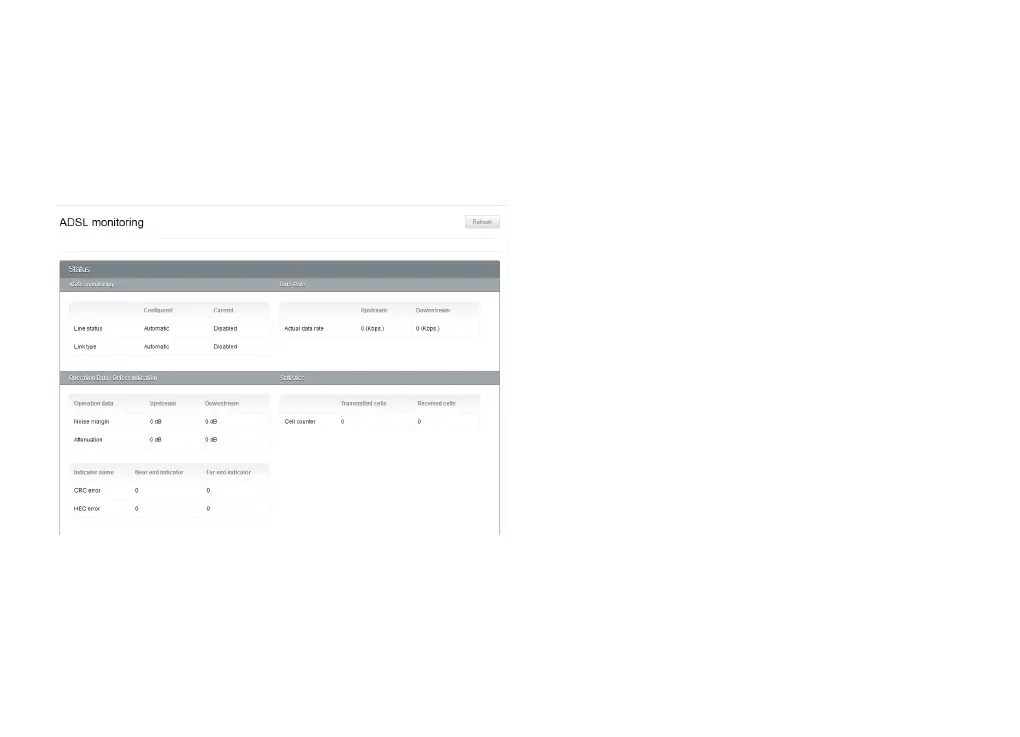
This page shows you some information about your ADSL connection’s performance. You might find this
information helpful in troubleshooting any connection or speed issues you’re having.
ADSL Monitoring
Line status tells you whether your ADSL connection
is up and running.
Link type is the ADSL standard you’re using to
connect to the Internet - for example, ADSL2+.
Data rate
The actual data rate is an indicator of the speed of
your ADSL connection, in Kbps. It’s separated into
upstream (upload) and downstream (download)
speeds.
Operation data/defect indication
The noise margin, also known as a signal-to-noise
ratio, tells you how strong your ADSL connection is.
Higher numbers indicate a better connection.
Attenuation is an indication of how far you are from
your ISP’s exchange. Lower numbers indicate a
better connection.



 To Next Page