21
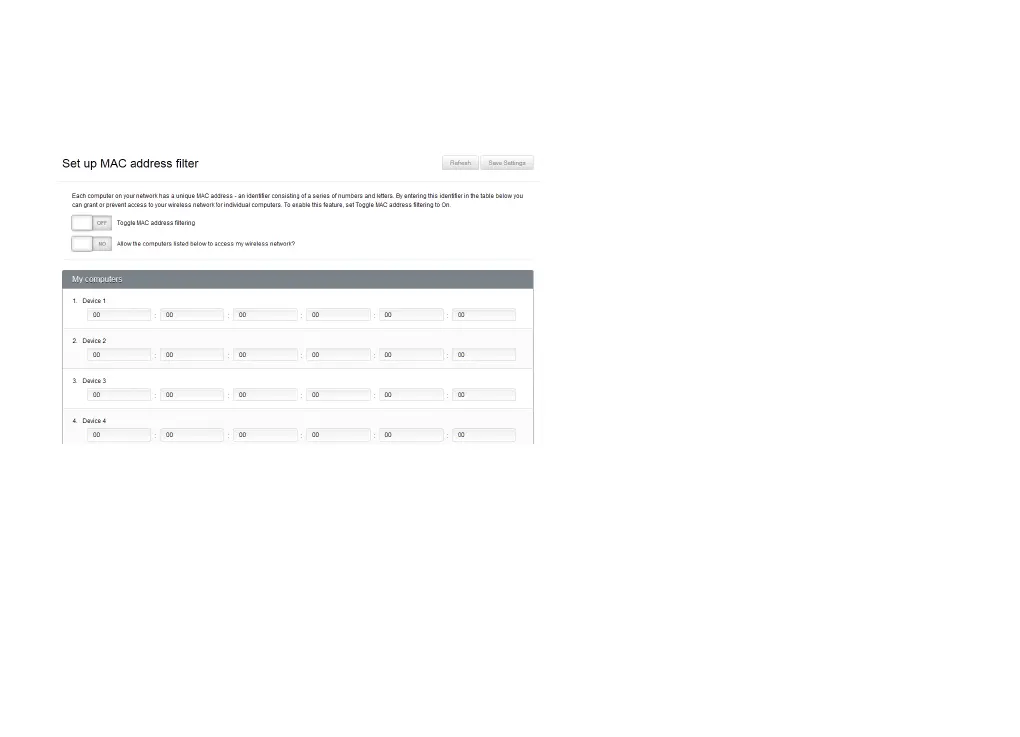
SET UP MAC ADDRESS FILTERING
Each computer on your network has a unique
MAC address - an identifier consisting of a
series of numbers and letters. You can grant
or prevent access to your wireless network
for individual computers by setting up MAC
address filtering.
To enable this feature, set Toggle MAC address
filtering to On.
There are two ways to use Budii Lite’s wireless network MAC Address filter:
× List the computers you want to allow access to your network, and block everyone else. If you only have
a couple of computers on your home network and you’re fairly certain they won’t change, this might be
the easiest way to use the MAC address filter. This feature is also useful if you think you’ll have trouble
finding the MAC address of a computer you want to block.
× List the computers you want to block, and allow everyone else. Don’t worry, they’ll still have to get past
the other security features you configured while setting up your wireless. This might be the way to go if
you only want to block one or two computers, and you know you’ll be able to get their MAC addresses.



 To Next Page