36
SET UP A USB HARD DRIVE AS AN FTP (FILE TRANSFER PROTOCOL) SERVER
An FTP (File Transfer Protocol) server
hosts files and allows people to
download and/or upload them over the
Internet. Use this feature if you plan to
run a file hosting service and have lots of
files that you need to make available for
others to download.
Maximum storage is 3TB (terabytes).
To set up a USB hard drive as an FTP
server:
1. Plug a USB hard drive into the USB
port on Budii Lite’s back panel.
2. Click the 4. Configure my USB port
tab.
3. From the navigation bar on the
left, click B. Set up my FTP server.
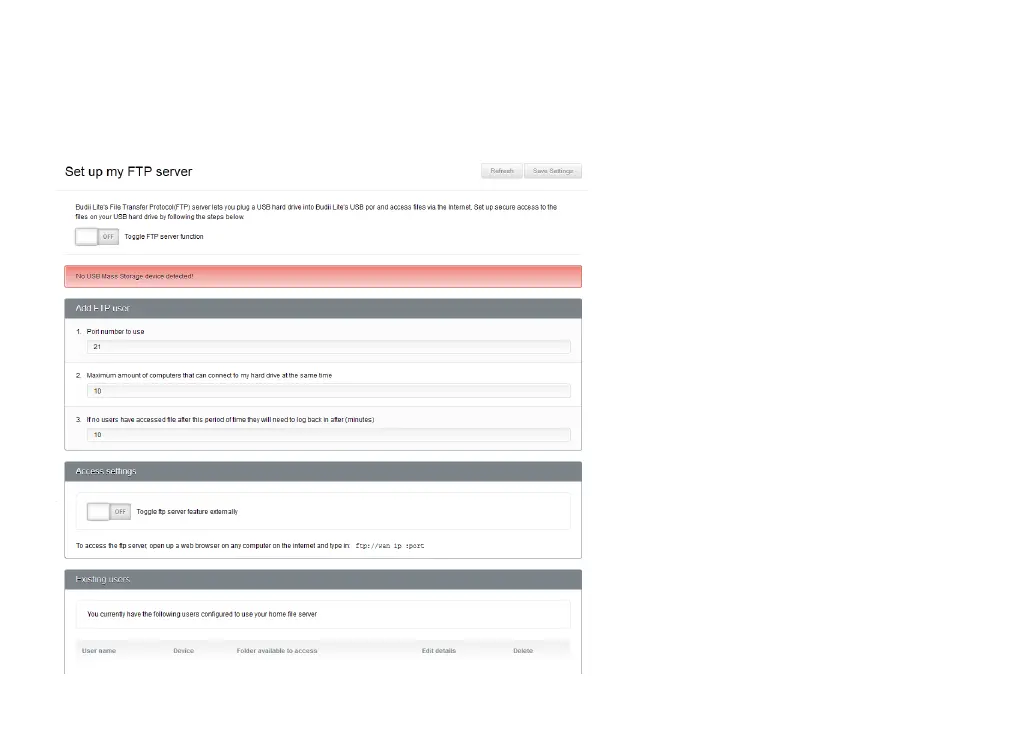
4. Click Toggle FTP server function,
setting it to On.
5. Choose a Port number to use - 21
is the default FTP port.



 To Next Page