46
Option Inlet unit SEG1 SEG2 SEG3 SEG4 Option function
Snow accumulation
prevention check
Main 0 3
0
0
0
1
Deactivated
(default setting)
Activated
Silent mode Main 0 4
0
0
0
0
0
0
1
2
3
4
Manual silent mode (-3 dB)
Manual silent mode *0.9 (-5 dB)
Manual silent mode *0.75 (-7 dB)
Manual silent mode (-3 dB)
Low noise silent mode
(default)
Setting of the option.
1. Press and hold K2 to enter the option setting. (Only available
when the operation is interrupted)
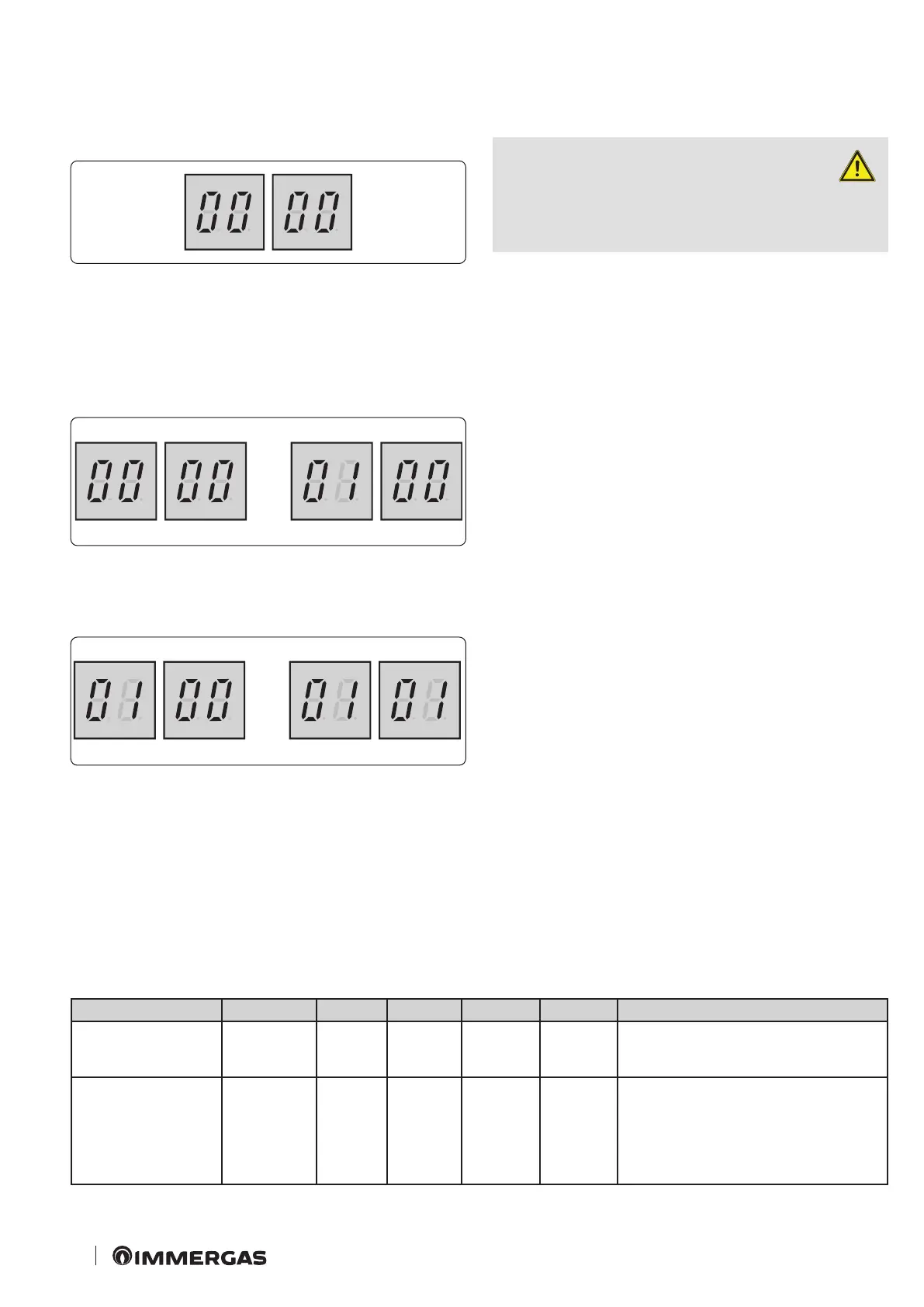
- If the option setting is entered, the display appears as follows.
61
- Seg1 and Seg2 will show the number of the selected option.
- Seg3 and Seg4 will show the number of the set value of the
selected option.
2. If the option setting has been entered, you may briey press
the switch K1 to adjust the value of Seg1, Seg2 and to select the
desired option.
(Example):
62
3. If you selected the desired option, you may briey press the
switch K2 to adjust the value of Seg3, Seg4 and to modify the
function of the desired option.
(Example)
63
4. Aer having selected the function of the options, press and hold
the switch K2 for 2 seconds. e modied value of the option will
be saved when whole segments ash and mode monitoring begins.
ATTENTION:
- the modied option will not be saved
if you do not nish setting the option
as explained above.
- While setting the option, you may press and hold the key K1 to
reset the previously set value.
- If you want to restore the default settings, press and hold the key
K4 while setting the options.
- Holding down the key K4 restores the default settings, though
it does not save them. Press and hold the key K2. When the
segments show that monitoring mode is in progress, the setting
will be saved.




 To Next Page