— 17 —
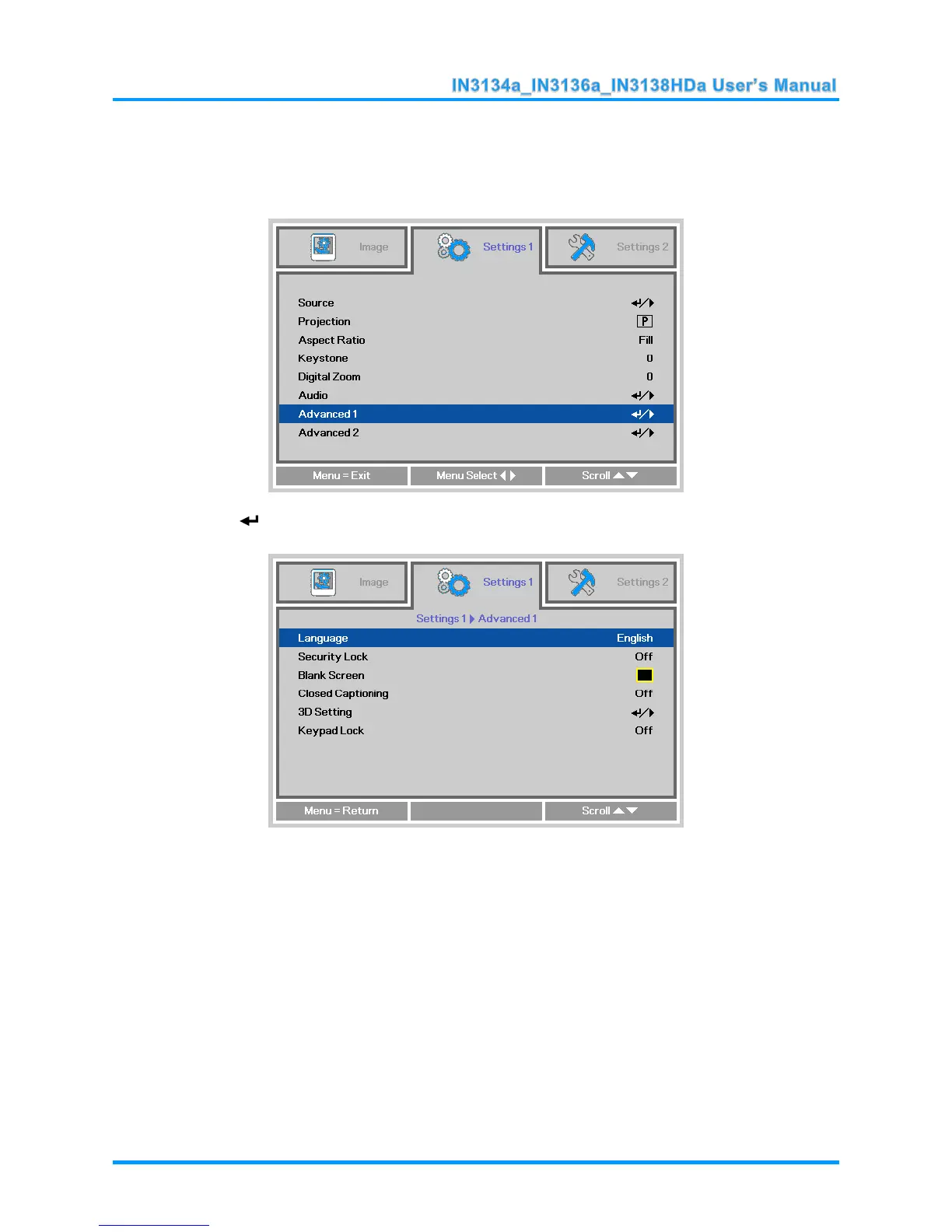
Setting the OSD Language
Set the OSD language to your preference before continuing.
1. Press the MENU button. Press the ◄► buttons to navigate to Settings 1. Press the ▲▼
buttons to move to the Advanced 1 menu.
2. Press (Enter) or ► to enter the Advanced 1 sub menu. Press the ▲▼ buttons until
Language is highlighted.
3. Press the arrow buttons until the language you want is highlighted.
4. Press the MENU button four times to close the OSD.



 To Next Page