EasyManua.ls Logo

InFocus IN3136a - Lamp Timer and Network Setup; Lamp Hour Reset Procedure; Network Configuration

InFocus IN3136a
71 pages
Print Icon
To Next Page IconTo Next Page
To Previous Page IconTo Previous Page
Loading...
33
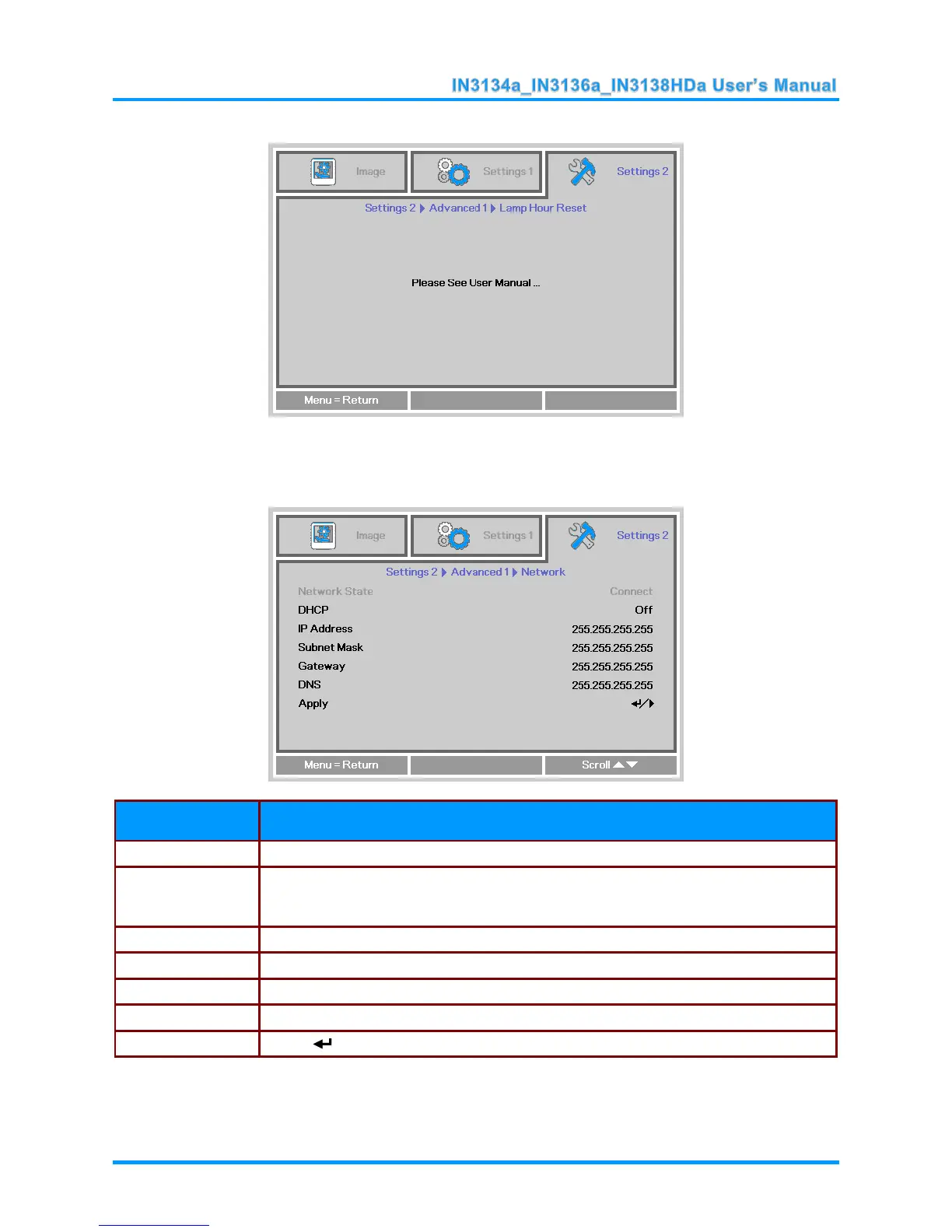
Lamp Hour Reset
Please refer to Resetting the Lamp Timer on page 45 to reset the lamp hour counter.
Network
ITEM
DESCRIPTION
Network State
Displays the network connection status.
DHCP
Press ◄► to turn DHCP On or Off.
Note: If DHCP is turned Off, complete the IP Address, Subnet Mask, Gateway, and
DNS fields.
IP Address
Enter a valid IP address when DHCP is turned off.
Subnet Mask
Enter a valid Subnet Mask when DHCP is turned off.
Gateway
Enter a valid Gateway address when DHCP is turned off.
DNS
Enter a valid DNS name when DHCP is turned off.
Apply
Press (Enter) or to confirm settings.

Table of Contents

Related product manuals