— 39 —
5. Type the Telnet command in the following format:
telnet ttt.xxx.yyy.zzz 23 (“Enter” key pressed)
(ttt.xxx.yyy.zzz: IP-Address of the projector)
6. When the Telnet connection is ready and you have input an RS232 command, press Enter.
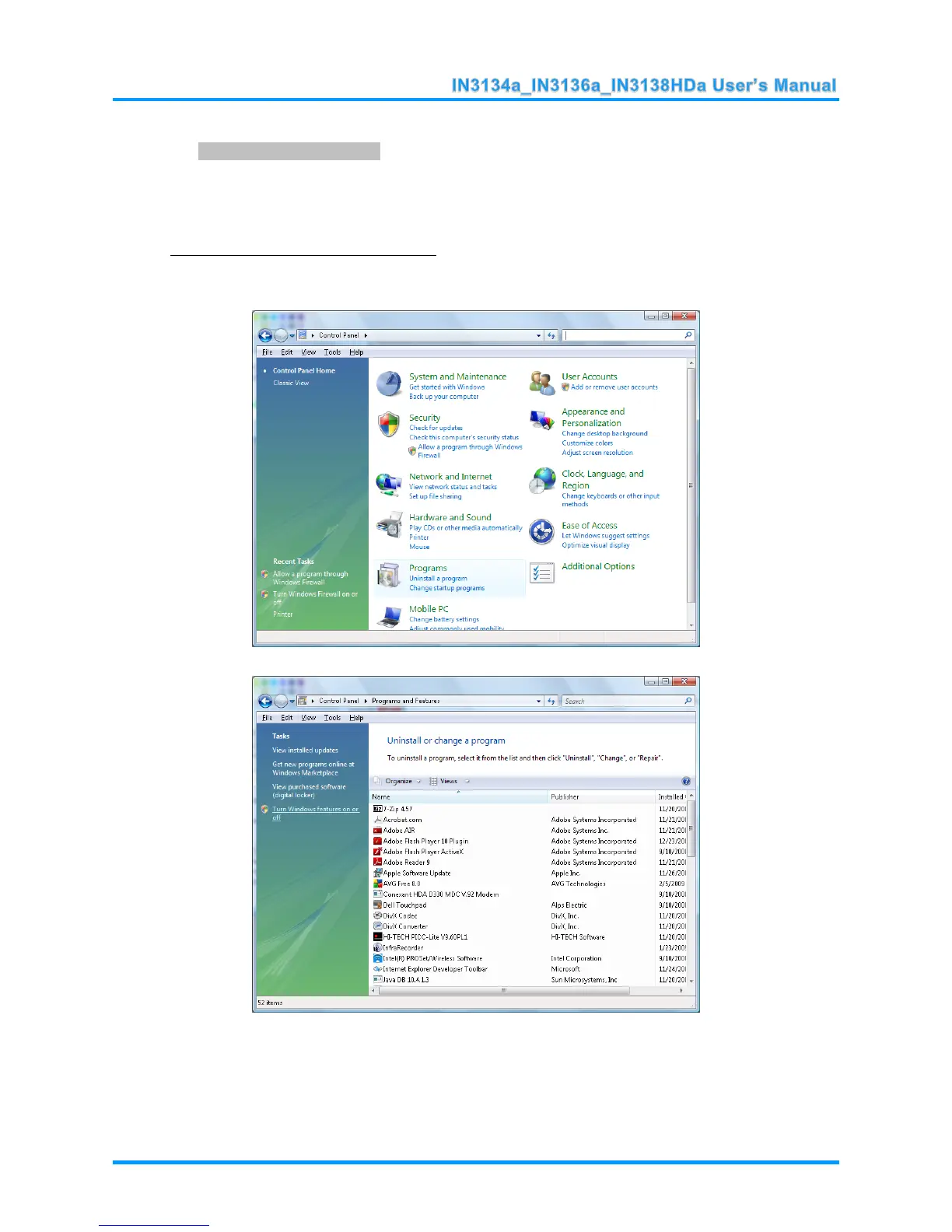
Enabling Telnet in Windows Vista/7/8
1. Telnet is not included by default in Windows Vista, 7 or 8.
2. Open the Control Panel.
3. Open Programs.



 To Next Page