EasyManua.ls Logo

InFocus IN3136a - Input Source Management; Source Filter Options

InFocus IN3136a
71 pages
Print Icon
To Next Page IconTo Next Page
To Previous Page IconTo Previous Page
Loading...
42
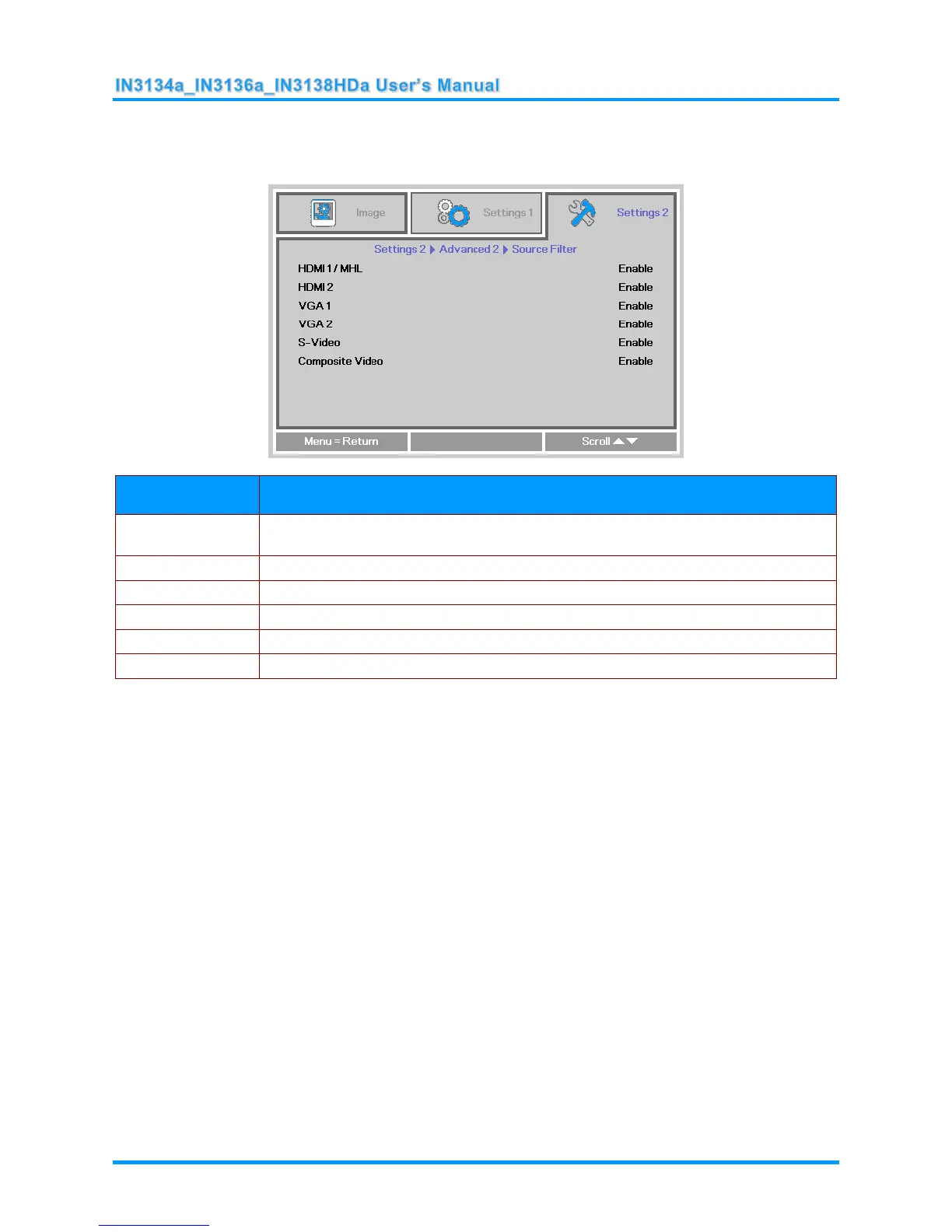
Source Filter
Press the ENTER button to enter the Source Filter sub menu. This sub menu allows you to enable
and disable source inputs.
ITEM
DESCRIPTION
HDMI 1 / MHL
Press the ◄► buttons to enter and enable or disable the HDMI1 / MHL-compatible
source.
HDMI 2
Press the ◄► buttons to enter and enable or disable the HDMI 2 source.
VGA 1
Press the ◄► buttons to enter and enable or disable the VGA1 source.
VGA 2
Press the ◄► buttons to enter and enable or disable the VGA2 source.
S-Video
Press the ◄► buttons to enter and enable or disable the S-Video source.
Composite Video
Press the ◄► buttons to enter and enable or disable the Composite Video source.

Table of Contents

Related product manuals