20
Connections
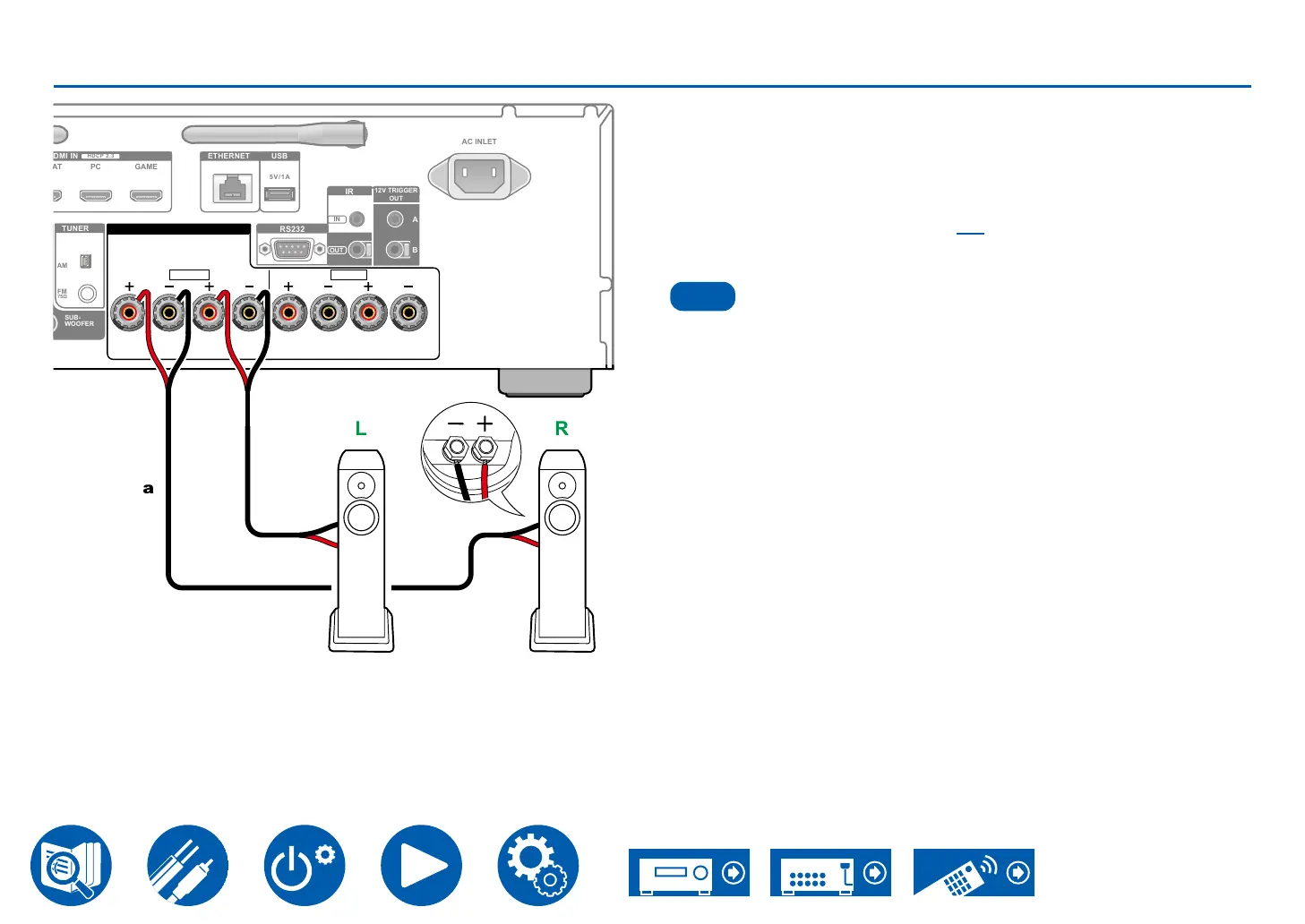
Connecting speakers
SPEAKERS
R L
A
L
R
B
FM
75Ω
ETHERNET USB
HDCP 2.3
PC GAME
5V/1A
SUB-
WOOFER
AM
AC INLET
RS232
IR
OUT
IN
12V TRIGGER
OUT
A
B
TUNER
a
Connect the speakers to the unit with speaker cable.
• You can connect two sets of speakers to this unit. You can select which set to
listen to when enjoying music. You can also choose to listen to sounds from
both sets.
Press Speaker A/B on the remote controller or the main unit to switch the
audio output. The selection changes in the order SPEAKER A, SPEAKER B,
→p40)
Note
When outputting audio simultaneously from 2 speaker systems
When switching audio output to one of either SPEAKER A or B



 To Next Page