48
Playback
Presetting a Radio Station
Registration Procedure
You can preset up to 40 of your favorite radio stations.
After tuning in to the radio station you want to register, perform the following
procedure.
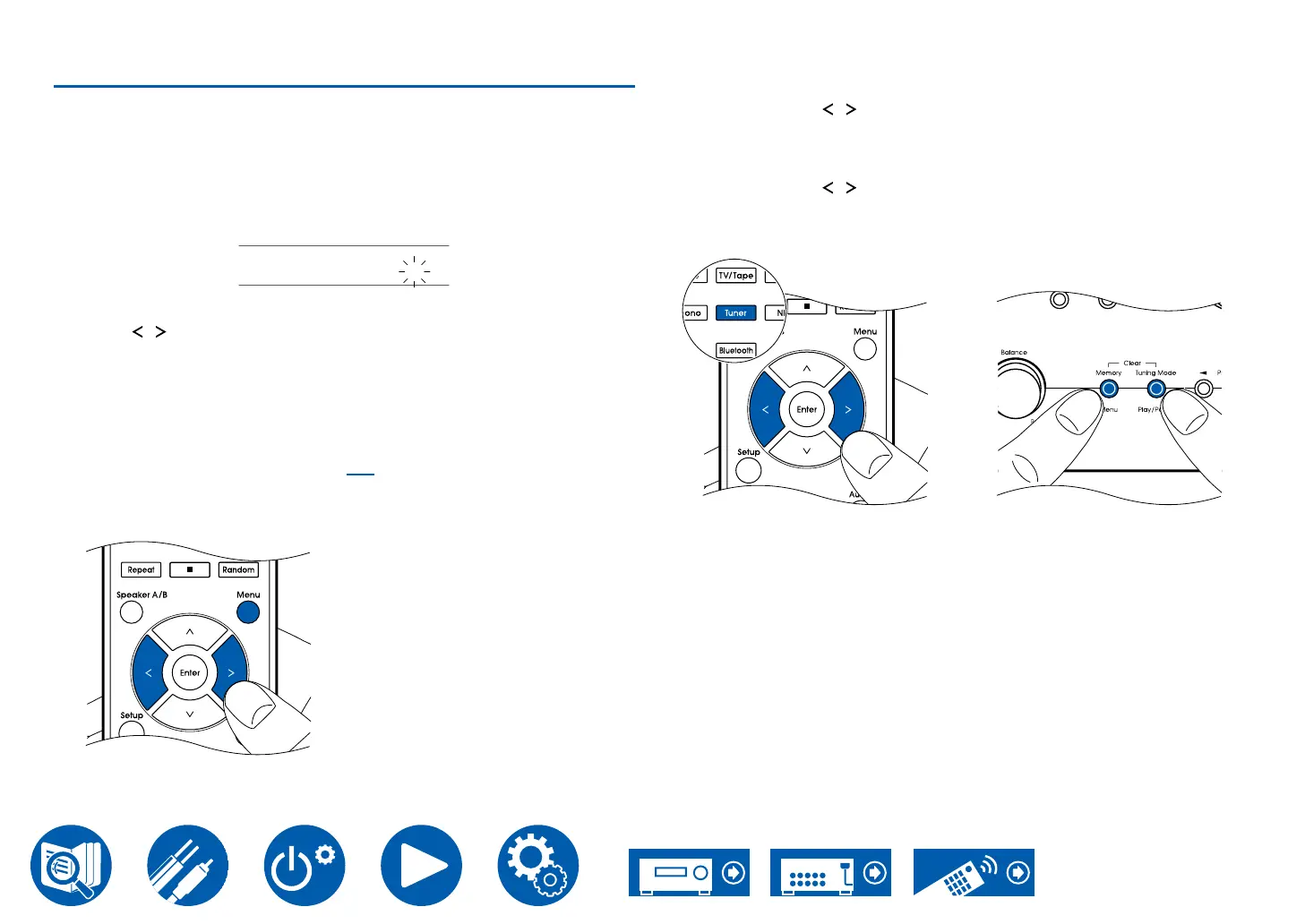
1. Press Menu button on the remote controller so that the preset number on the
display blinks.
FM 87.5 MHz 1
2. While the preset number is blinking (approx. 8 seconds), repeatedly press the
cursors
/ LEFT/RIGHT to select a number between 1 and 40.
3. Press Menu button on the remote controller again to register the station.
procedure for all of your favorite radio stations.
You can also register radio stations with the following operations:
– Pressing Memory on the main unit.
– Using the Integra Control Pro app ( →p35)
Selecting a Preset Radio Station
1. Press Tuner button on the remote controller.
2. Press the cursors / LEFT/RIGHT to select a preset number.
Deleting a Preset Radio Station
1. Press Tuner button on the remote controller.
2. Press the cursors / LEFT/RIGHT to select the preset number to delete.
3. While pressing Memory on the main unit, press Tuning Mode to delete the
preset number. When deleted, the number on the display disappears.



 To Next Page