28
Connections
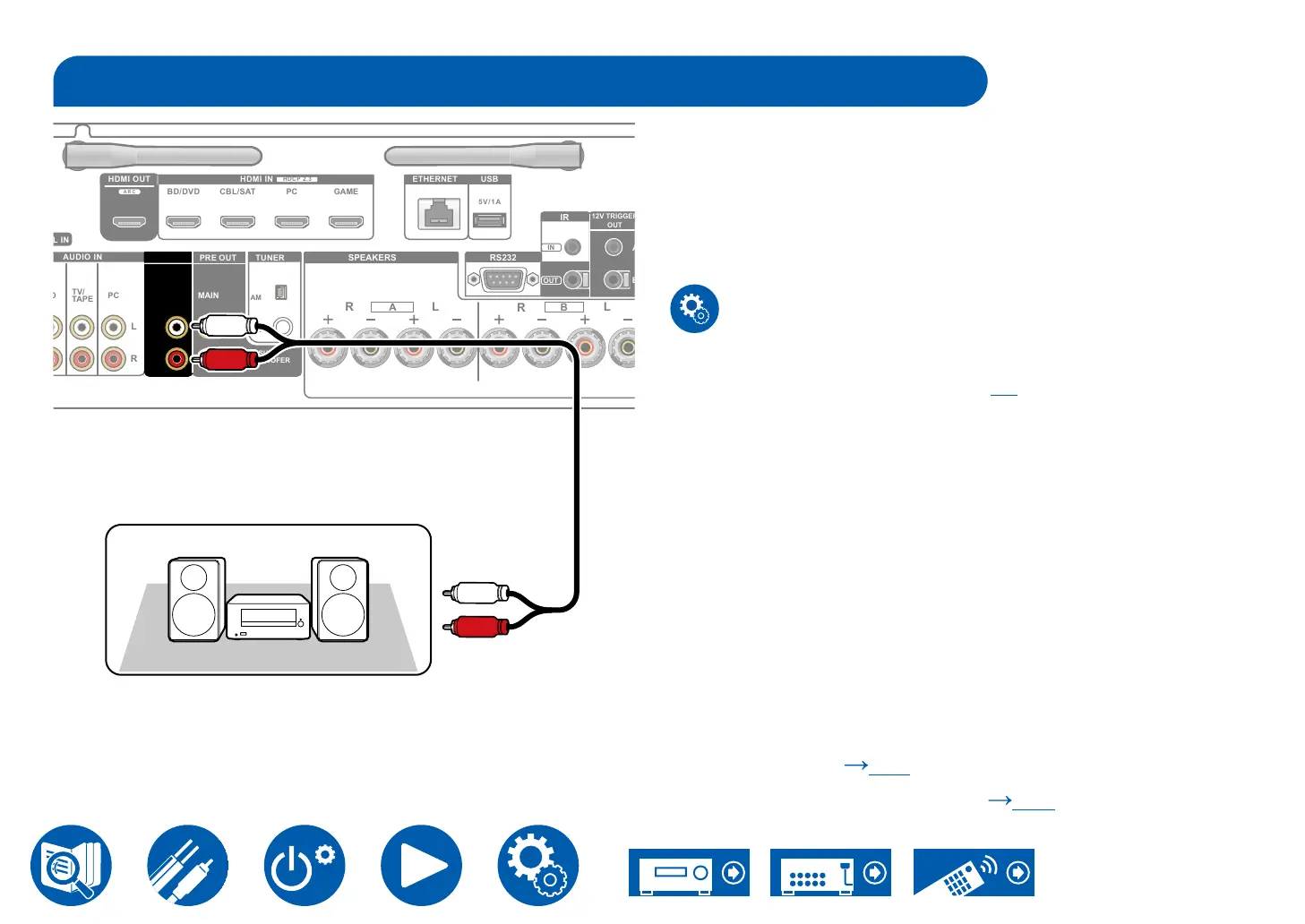
Connecting an Integrated Amplier in a separate room (Multi-zone)
You can enjoy 2 ch audio in the separate room (ZONE 2) while performing
playback in the main room (where this unit is located). Use an analog audio
cable to connect the ZONE 2 PRE/LINE OUT jacks on this unit to the input jack
• To output audio from an externally connected AV component to ZONE 2,
use an analog audio cable for connection. Note that ZONE 2 output is not
possible with the connection using an HDMI cable, digital coaxial cable, or
digital optical cable.
Setup
•
set "1. Audio" - "Zone 2 Output Level" ( →p77) to "Variable" (Default
Value: Fixed) on the Setup menu. If you do not set this, the volume output
control, leave this as "Fixed".
Multi-zone ( p61)
Playing Back (ZONE 2) (
p62)
SPEAKERS
R L
A
L
R
B
FM
75Ω
HDMI OUT HDMI IN ETHERNET USB
HDCP 2.3
BD/DVD CBL/SAT PC GAME
ARC
5V/1A
AUDIO IN
PC
TV/
TAPE
R
L
PRE OUT
ZONE 2 MAIN
SUB-
WOOFER
AM
R
L
PRE/LINE
OUT
RS232
IR
OUT
IN
OUT
TUNER
a
a Analog audio cable
Integrated amplierIntegrated amplier



 To Next Page