42
Playback
Bluetooth
®
Playback
You can wirelessly play music on a smartphone or other Bluetooth wireless technology enabled device through the speakers connected to this unit. It is also possible
to transmit the audio from this unit to Bluetooth enabled headphones, wireless speakers, etc.
Playing audio from Bluetooth wireless technology enabled devices with this unit
Perform the following procedure when this unit is on.
Pairing
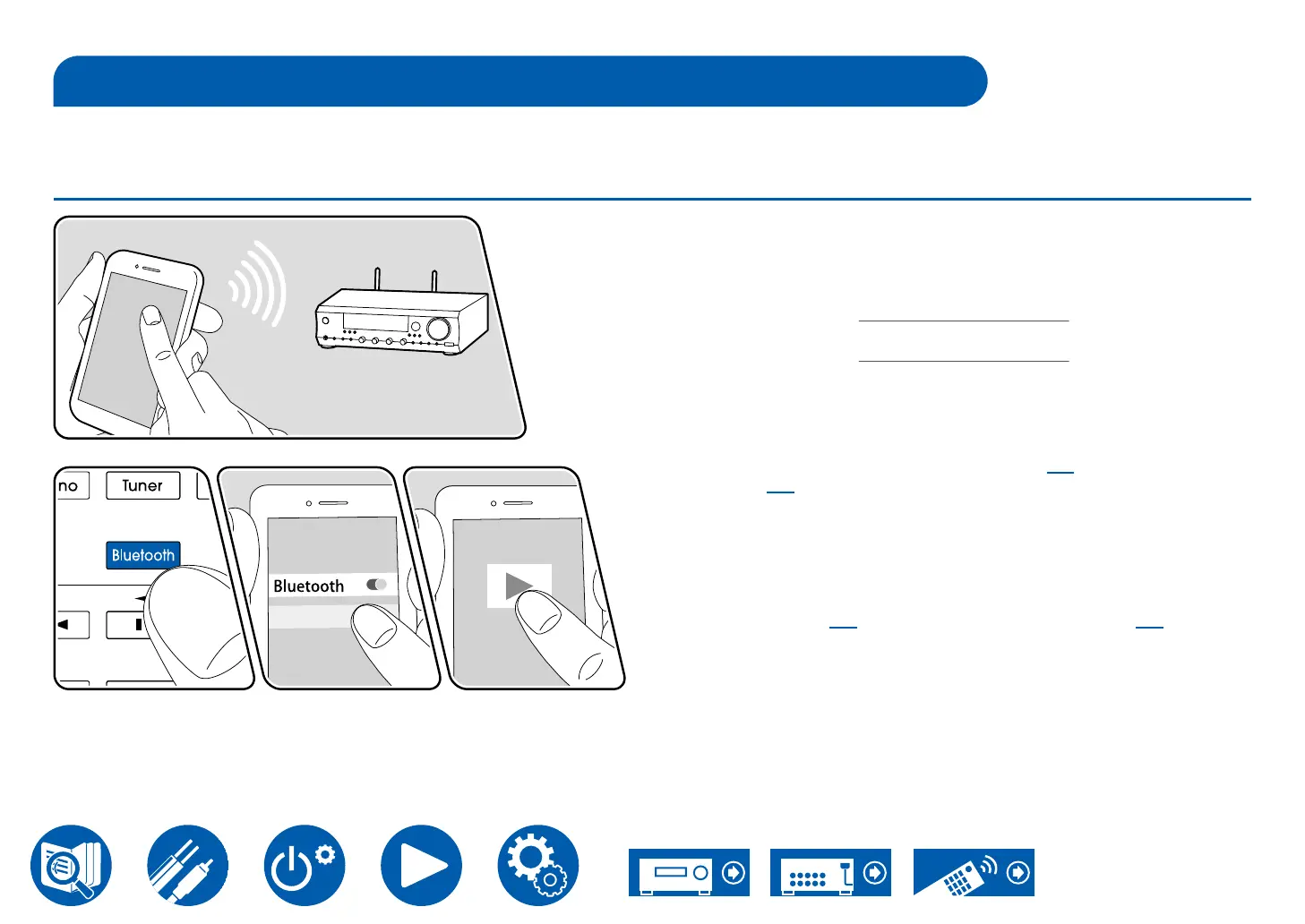
1. When you press the Bluetooth button, "Now Pairing..." appears on the display,
and the pairing mode is enabled.
Now Pairing . . .
2. Enable (turn on) the Bluetooth function of the Bluetooth enabled device,
and then select this unit from among the devices displayed. If a password is
requested, enter "0000".
• This unit is displayed as "Integra DTM-7.4 XXXXXX". This display can be
changed using the Friendly Name function ( →p81) or Integra Control
Pro ( →p35) (available on iOS or Android™).
• To connect another Bluetooth enabled device, press and hold the Display
button at least 2 seconds, and then perform step 2. This unit can store the
pairing information of up to 8 paired devices.
• The coverage area is approx. 48´/15 m. Note that connection is not always
guaranteed with all Bluetooth enabled devices.
• If pairing fails, then in the Setup menu, set "4. Bluetooth" - "Bluetooth
Transmitter" ( →p84→p83) to
"On".
The illustration shows an image.



 To Next Page